 By Dhruvisha J
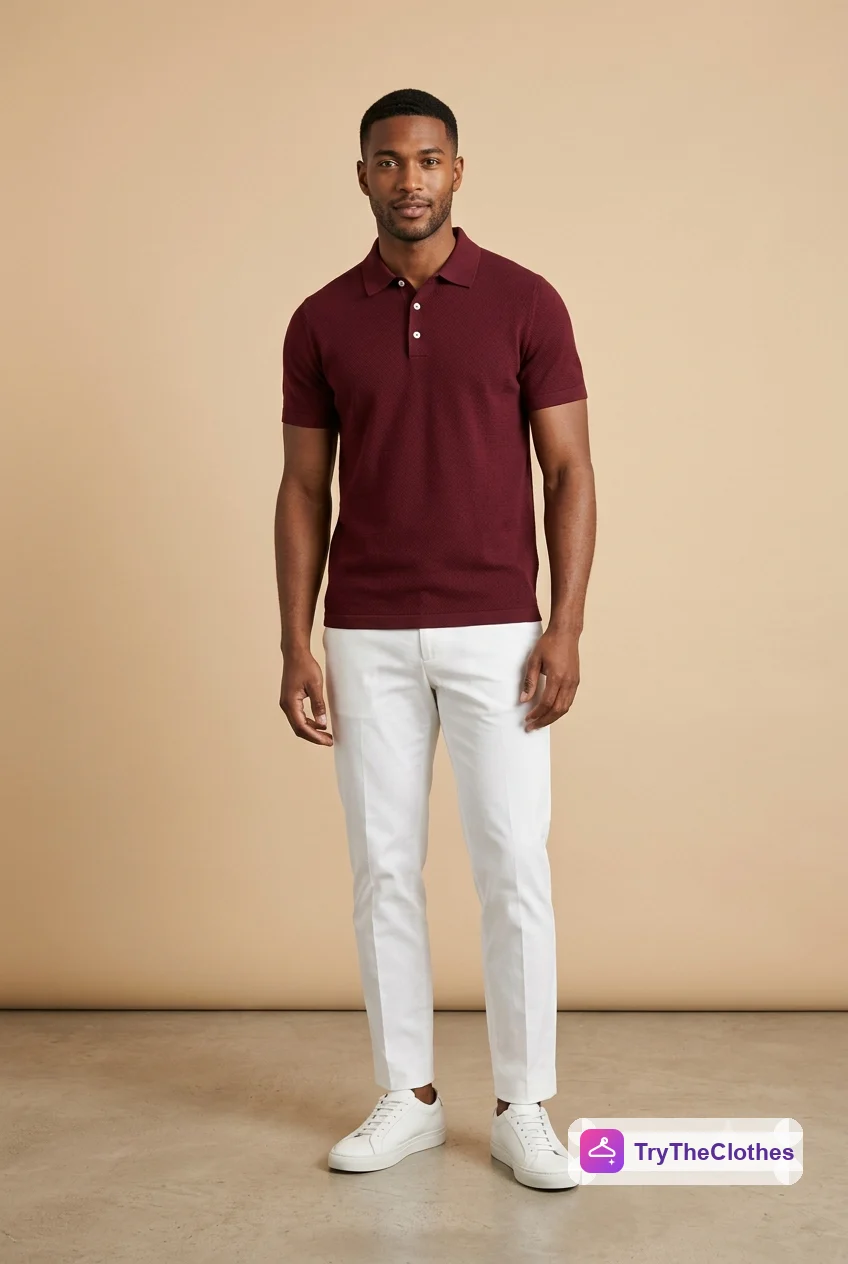
People talk about virtual try-on as a womenswear tool, but menswear is where it quietly earns its keep. Most men buy the same core pieces on repeat: shirts, tees, jackets, chinos, the odd suit. The question behind each one is always the same. Does this cut and this colour actually suit me? A product photo on a tall studio model rarely answers that. Virtual try-on for men does, because it generates a realistic picture of you in the piece from nothing more than two photos.
You upload a photo of yourself and a photo of the garment, and the AI paints a believable image of you wearing it. You see the drape of the shirt, the line of the jacket, the colour sitting against your skin. It is a fitting room that lives in your browser, and it is most useful for the considered, buy-it-once kind of shopping where getting the fit or the shade wrong costs real money. This guide walks through how it works, how to get sharp results for each menswear staple, and where the technology still runs into limits.
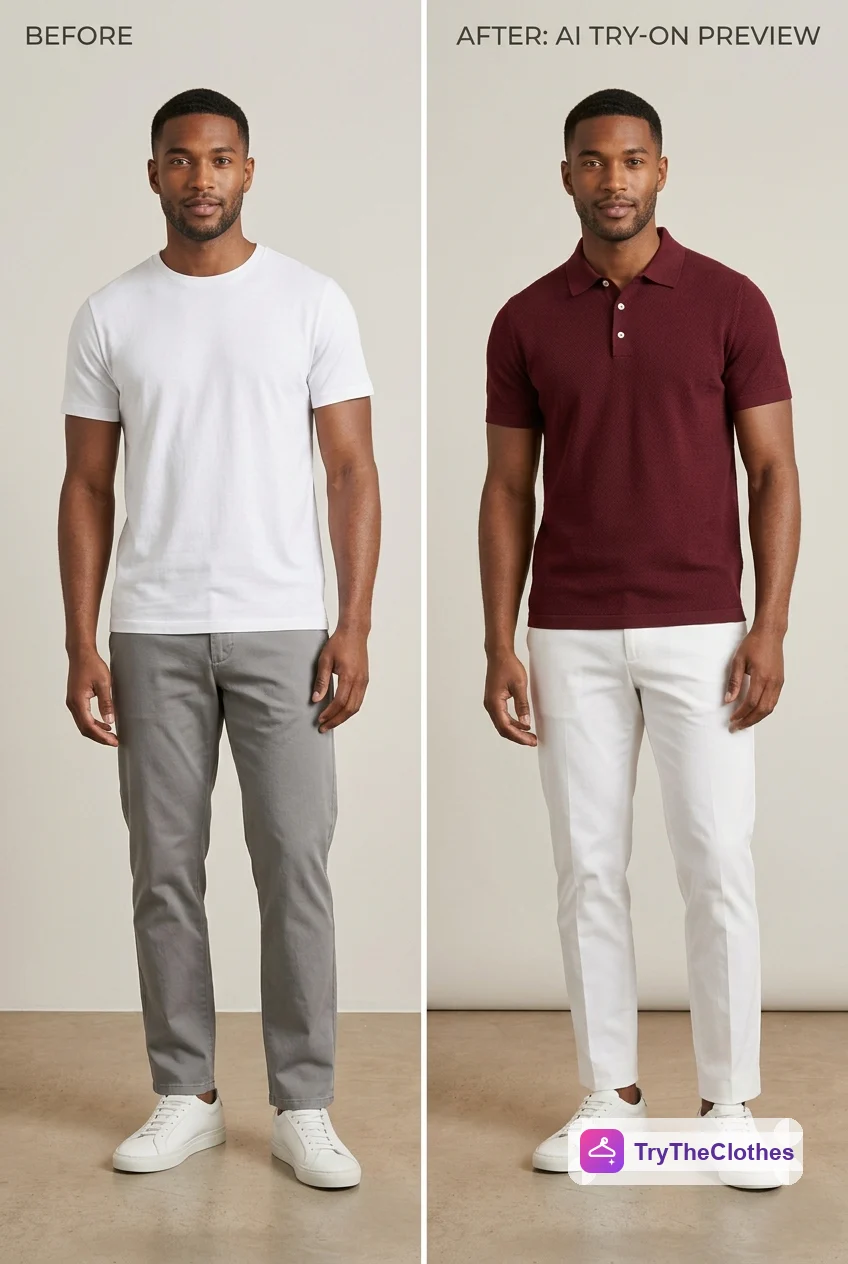
What virtual try-on for men means
Virtual try-on for men uses AI to preview a garment on your own body before you buy, without you ever putting it on. You give the tool two images, a photo of yourself and a picture of the item, and it hands back a single generated image of you wearing it. Because the software builds the picture rather than pasting a cut-out on top, the fabric looks like it is sitting on your shoulders and falling down your torso the way real cloth would.
Think of it as a visual preview, not a tailor. It shows colour, cut and silhouette with real accuracy, and it is the fastest way to answer "does this look like me?" before you commit a single rupee or dollar. If you want the full mechanics of what happens between upload and result, our explainer on how AI virtual try-on works lays out every stage.
Why men benefit from virtual try-on
Menswear rewards consistency. A wardrobe of well-chosen staples worn on rotation beats a closet full of one-off buys, which means each purchase carries weight. Pick the wrong shade of chino or a jacket that fights your proportions, and it just hangs there unworn. Virtual try-on lets you test that decision on your own frame first, so the pieces that make it into your wardrobe are the ones that work on you.
It also suits the way a lot of men actually shop: quickly, decisively, and without wanting to trek round three stores. Line up two shirt colours or two jacket cuts, preview both on yourself, and pick the winner in a few seconds. You skip the changing-room queue and the guesswork at the same time, and you get a straight answer to the only question that matters, which is whether it looks right on you.
How to try on menswear online in 5 steps
You do not need an app or any special hardware. A phone photo and a browser will do the whole job.
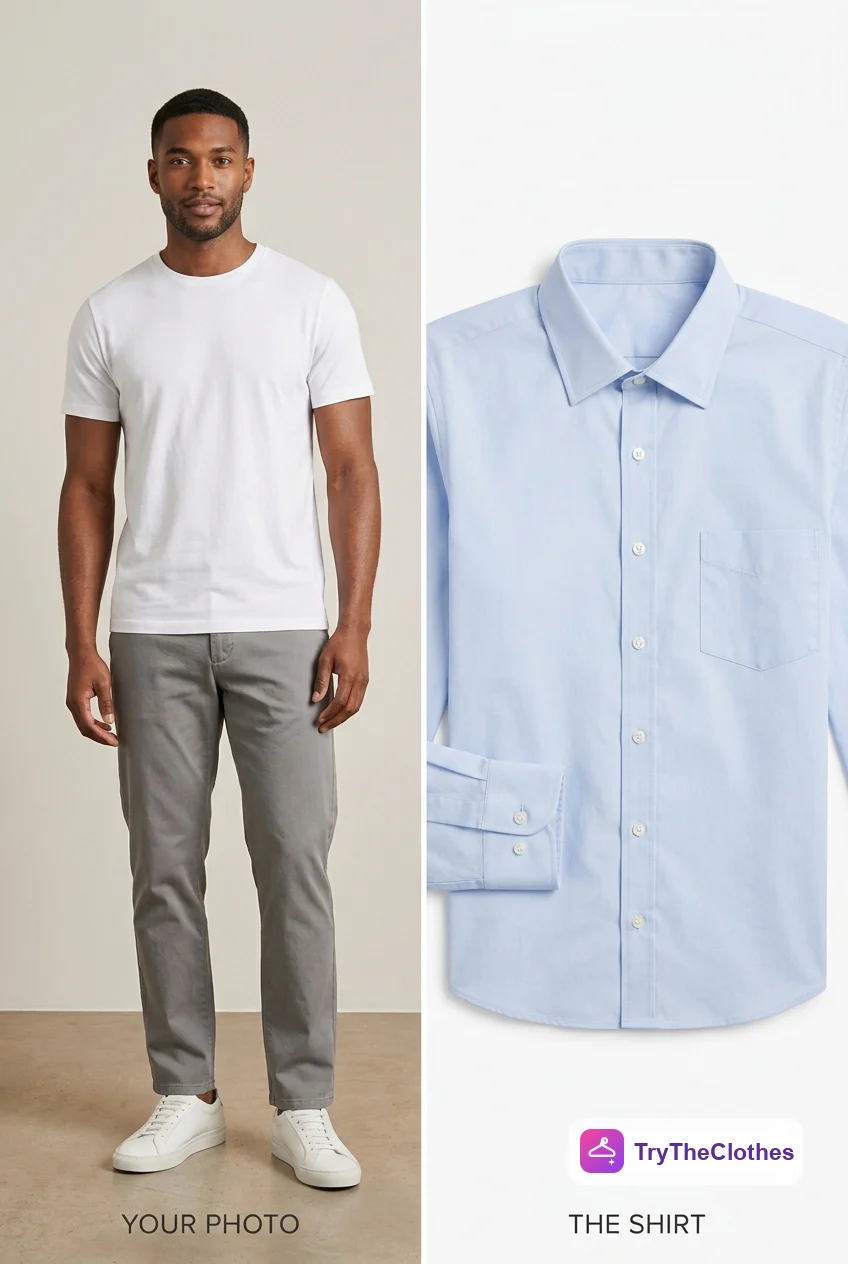
- Pick your photo. Choose a clear, front-facing picture where your upper body is visible for tops, or your full frame for a complete outfit.
- Pick the garment image. Find a clean product shot of the item, ideally a flat-lay or a front-on photo on a plain background.
- Upload both. Add your photo and the garment image to the tool.
- Generate. Let the AI process the two inputs. It usually takes only a few seconds.
- Review and iterate. Check the fit and the colour. If something looks off, swap in a cleaner image and run it again.
The choosing matters more than the clicking, because your two images decide the quality of the result. Get them right and a free tool to try on clothes online gives you a preview you can shop by.
A real example, start to finish
Say you have a Friday evening event coming up, smart but not formal, and you are torn between a polo and a button-up shirt. Here is how the whole thing plays out with virtual try-on.
- Set the scene. You want to look put together without overthinking it. Two contenders sit in your basket: a burgundy polo and a pale blue shirt, both in your usual size.
- Take one good photo. You stand square to a plain wall near a window, soft daylight on your face, wearing a fitted tee so the tool reads your real shape. One clean, front-facing shot is all you need.
- Grab the product images. From the store page you save the front-on shot of the burgundy polo, then the same for the pale blue shirt. Both are on plain backgrounds, no folds, no angled model.
- Try the polo first. You upload your photo and the polo image, hit generate, and a few seconds later you are looking at yourself in the burgundy polo. The colour is warmer against your skin than you expected, and you like it.
- Try the shirt next. You swap in the pale blue shirt image and generate again. It looks crisp, but a touch formal for a relaxed evening.
- Compare and add trousers. With the polo clearly ahead, you preview it once more with white trousers to check the full outfit reads the way you pictured. It does.
- Decide and confirm size. You keep the burgundy polo and white trousers, drop the shirt, and check the size chart to lock in the fit before checkout. Done in under five minutes, no changing room involved.
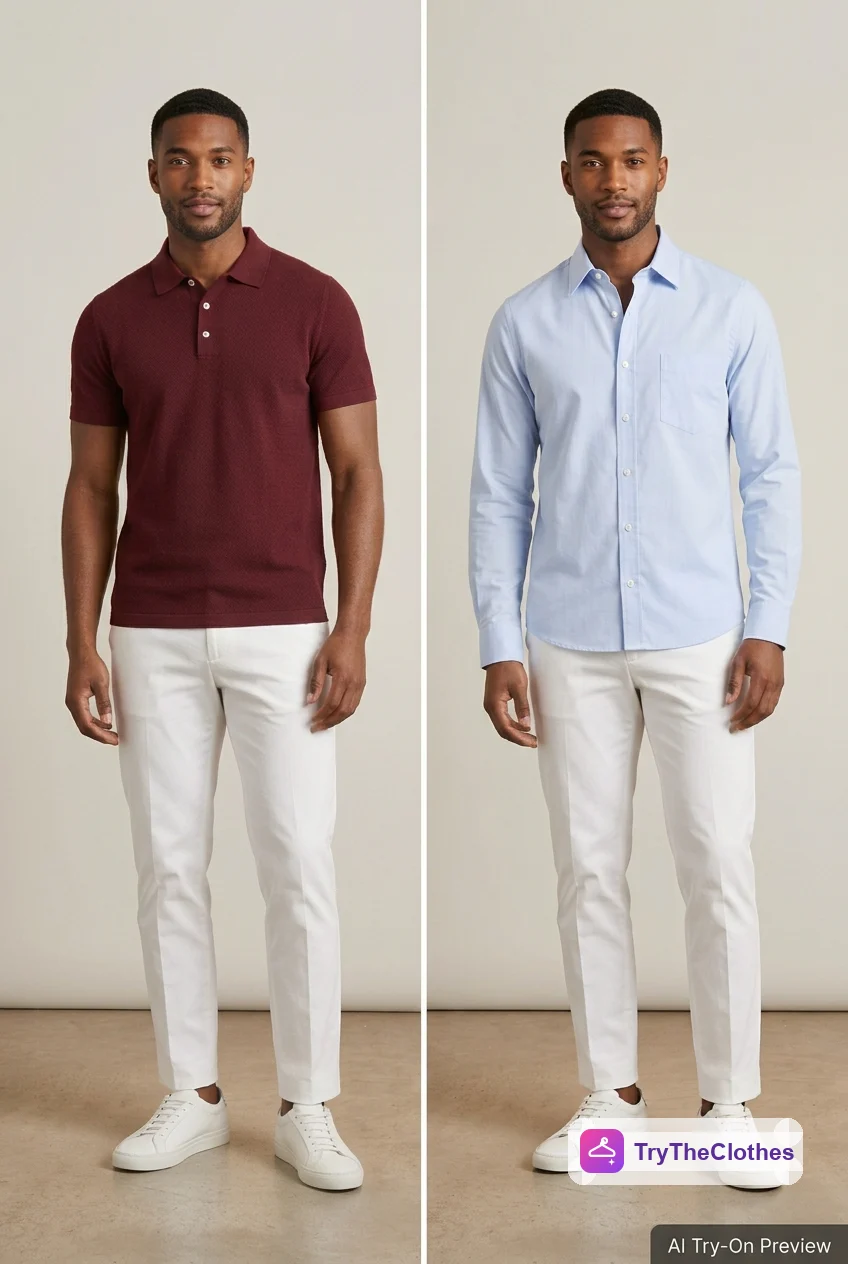
That is the real value: not a gimmick, but a quick, honest look at two options on your own body so the one you buy is the one you will actually wear.
Tips by garment: shirts, jackets, tees and suits
Each menswear staple rewards a small tweak to your input photo.
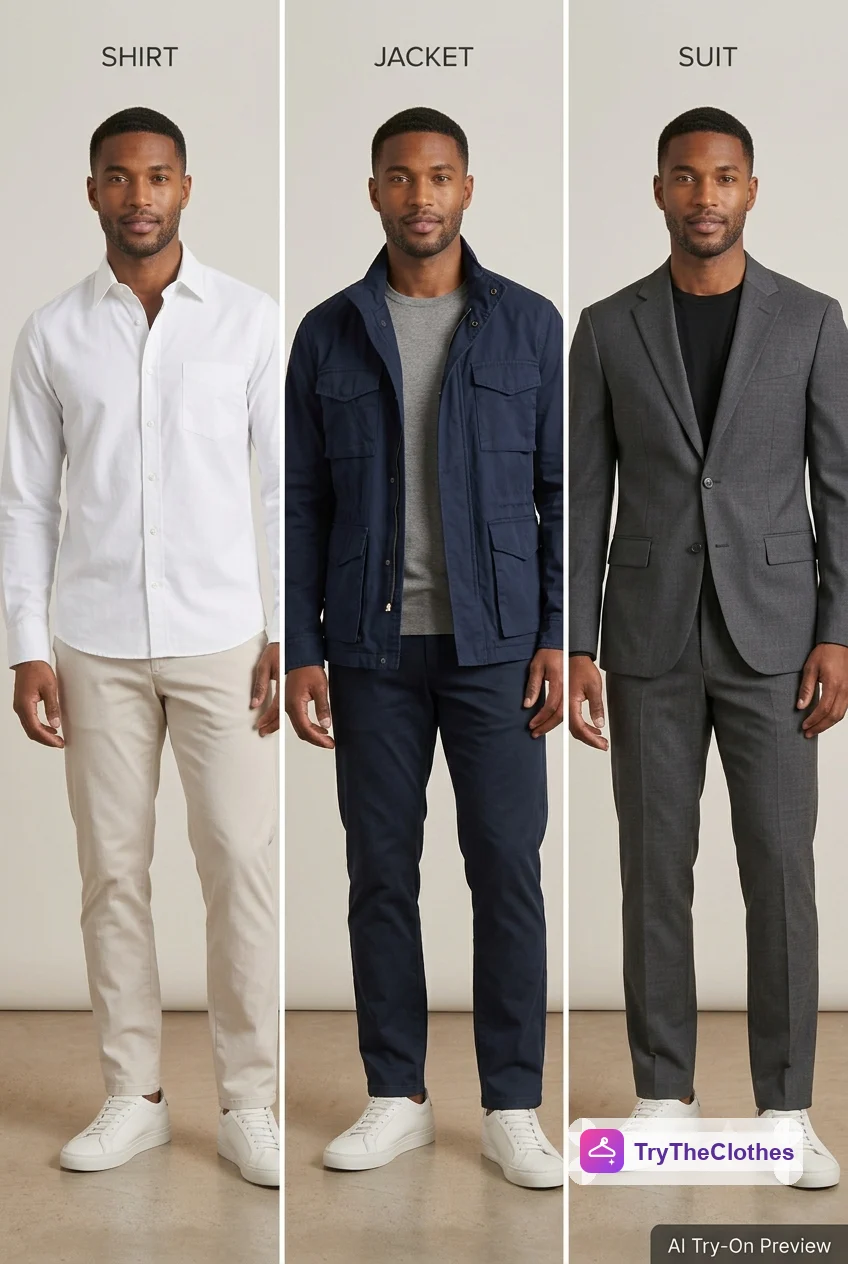
Shirts and tees
Tops need a clear view of your torso, so a front-facing, upper-body or full photo works well. Wear something fitted underneath so the AI reads your true shape. Whether it is a crisp white shirt or an oversized tee, a clean product image keeps the collar, the placket and any print exactly where they belong.
Jackets and outerwear
Structured layers read best when your shoulders and torso are square to the camera with your arms slightly away from your body. That gives the AI room to render the jacket's line cleanly. A leather jacket, a denim jacket or a puffer will all preview well once your pose is steady and the product shot is front-on.
Suits and tailoring
Tailoring is where "looks right on me" matters most and is hardest to judge from a model. Use a full-body, upright photo so the AI can render the jacket and trouser line together. Treat the preview as a strong guide to cut and colour, then rely on the retailer's measurements and, ideally, a tailor for the precise fit.
What works well versus what is harder
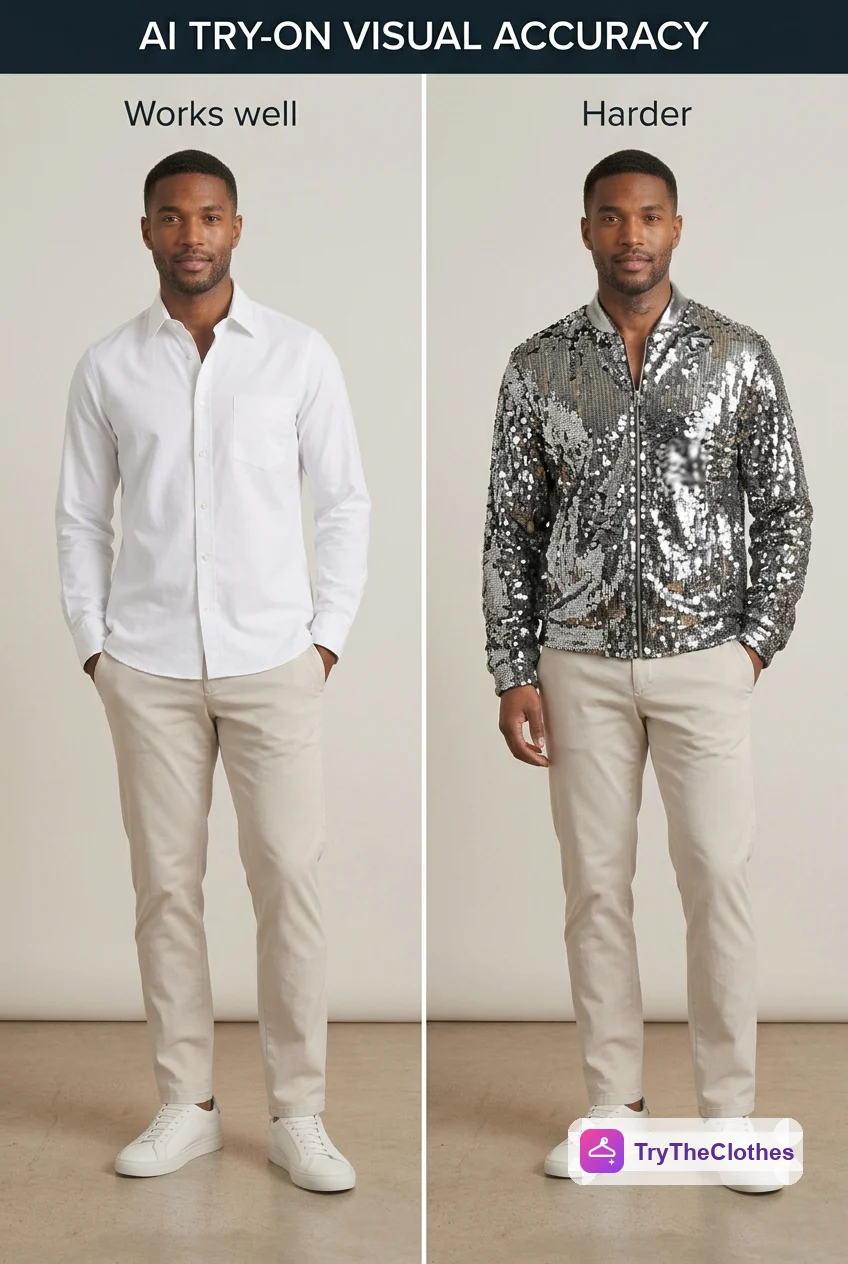
| Factor | Works well (realistic result) | Harder (less reliable) |
|---|---|---|
| Garment type | Shirts, tees, chinos, jackets, knitwear | Heavily textured or highly reflective pieces |
| Your pose | Straight, front-facing, arms slightly out | Twisted, seated or steep-angle shots |
| Lighting | Soft and even, no harsh shadows | Direct sun, deep shadow or dim light |
| Garment image | Clean flat-lay or front product shot | Wrinkled, folded or on an angled model |
| Base outfit | Fitted clothing that shows your shape | Bulky layers that hide your outline |
The rule holds for menswear the way it holds everywhere: clarity in, realism out. The AI is excellent at showing colour, cut and overall silhouette for everyday staples, and it lets you compare options fast. Its limits are exact tailored fit and very textured or shiny fabrics. Use it for a quick, believable preview, then confirm sizing with the store's chart.
Mistakes that ruin a try-on
- Angled or seated photos. Stand square to the camera so the garment maps cleanly onto you.
- Backlighting. A bright window behind you turns you into a silhouette the AI cannot read.
- Bulky base layers. A thick hoodie hides your shape, and the new piece inherits that padded outline.
- Folded product shots. A garment folded in half transfers that distortion straight onto you.
- Trying a whole outfit at once. Preview one clearly defined item at a time for the cleanest result.
Before you generate, check that your body is clearly visible and the garment is clearly visible from the front. For a deeper walkthrough of getting your source image right, see our guide to the perfect photo for virtual try-on.
Try menswear on yourself now
The quickest way to get it is to try it. Take a clear, front-facing photo of yourself in soft light against a plain wall, then find a clean product image of a shirt or jacket you have been eyeing. Upload both and see the result in seconds. Swap one colour for another and generate again to compare them on your own frame.
Our free virtual try-on needs no app to install. You sign up for a free account, get free credits to start, and only pay if you want more try-ons. Preview a couple of options, keep the one that suits you, and confirm the size on the chart. If you want the bigger picture first, our overview of the virtual fitting room sets the scene.
Frequently asked questions
Does virtual try-on work for men's clothing?
Yes. Everyday menswear like shirts, tees, chinos, knitwear and jackets previews very well. You upload a photo of yourself and an image of the garment, and the AI shows you wearing it. It is free, runs in a browser and needs no app.
Can I try on a suit online?
You can preview how a suit's cut and colour look on you, which is useful for narrowing down your choices. Treat it as a strong visual guide rather than a precise fit, and confirm the tailoring with the retailer's measurements or a tailor before you buy.
What photo works best for virtual try-on for men?
A clear, front-facing photo in soft, even light against a plain background, with a fitted base layer so your shape reads accurately. Use an upper-body shot for tops and a full-body shot for jackets, suits and full outfits.
The bottom line
Menswear is built on getting a handful of staples right and wearing them well, which makes every purchase matter and makes a preview on your own body valuable. Virtual try-on for men turns "I think this shirt suits me" into a picture you can actually see, with the colour against your skin and the cut on your frame, before anything ships.
The inputs decide the result. A clear, front-facing photo in soft light, paired with a clean front-view image of a single garment, gives a realistic preview almost every time. Use it to judge cut and colour, confirm the size on the chart, and you will build a wardrobe of pieces that actually work on you, which is the whole point of dressing well.
Ready to try it yourself? Upload a photo and see any outfit on you in seconds, and your first try-ons are free. Start a try-on →
One useful style tip a week
What to wear, how to size, and new try-on features. Short, useful, unsubscribe any time.