 By Dhruvisha J
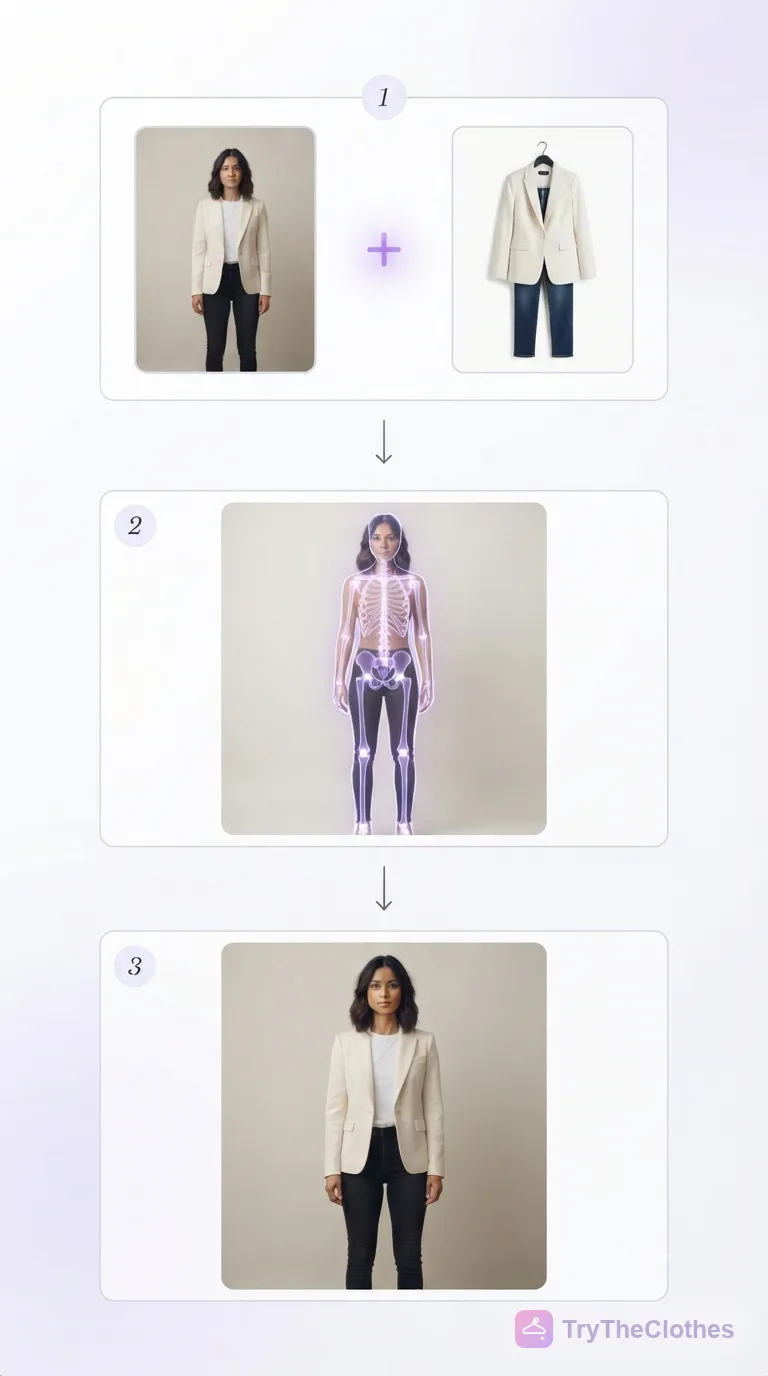
You have probably seen it by now. You upload a photo of yourself, pick a dress or a shirt, and a few seconds later you are looking at a picture of you wearing it. No changing room, no returns, no guessing. It feels a bit like magic, but it is not. It is AI virtual try-on: and once you understand what is happening under the hood, you can get far better results from it.
This guide explains it in plain language. No jargon, no maths. Just what the tool is doing, why it works, and how to use it well. If you would rather just try it, our free virtual try-on is ready whenever you are.
What AI virtual try-on actually is
AI virtual try-on is software that shows you wearing an item of clothing without you physically putting it on. You give it two things: a photo of you and a photo of the garment. It gives you back one new photo of you in that garment.
The important word is "new." Older tools used to paste a flat cut-out of the clothing over your photo, like a sticker. It never looked right, because real clothes fold, drape and catch the light. Modern tools do something smarter. They generate a fresh image from scratch, one where the fabric actually sits on your body the way it would in real life. That is the leap that made virtual try-on useful instead of a gimmick.
See it in action
Here is a real example from our tool. On the left is the original photo someone uploaded. On the right is the result after the AI restyled the outfit. Same person, same pose, same background. Only the clothes changed.
 Your photo
 AI result
Notice how the new outfit follows his body. The collar sits right, the sleeve falls naturally, and the shadows match the rest of the photo. That realism is the hard part, and it is exactly what the AI is trained to handle.
It is not only menswear either. Here is the same idea with a different look, where two separate pieces changed at once:
 Your photo
 AI result
Step 1: You give it two photos
Everything starts with your inputs. You upload a photo of yourself, ideally a clear, full-body shot, and you choose the clothing you want to try. The clothing can be a product image from any online shop, a picture you saved, or one of our ready-made templates.
This step matters more than people expect. The tool can only work with what you hand it. A sharp, well-lit photo of you gives it a clear starting point. A blurry or cropped one makes its job harder. If you want the best results, it is worth spending a minute on the photo, and our guide to the perfect virtual try-on photo walks through exactly how.
Step 2: The AI reads your body
Once you upload your photo, the AI studies it. It works out where your body is, how you are standing, and the shape of your shoulders, waist, hips and legs. In simple terms, it builds a map of you.
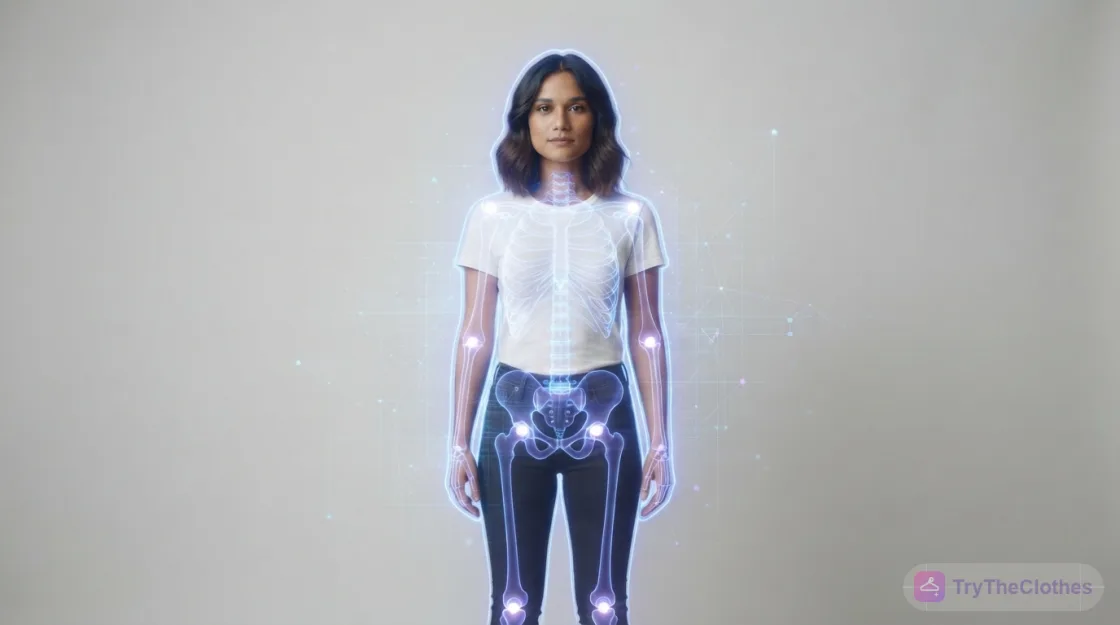
This is why your pose and framing count. When you face the camera with your arms relaxed at your sides, the map is clean and accurate. When your arms cross your chest or you are turned sideways, parts of that map are hidden, and the AI has to fill in the blanks. The clearer it can see you, the better the map, and the better everything that comes next.
At the same time, it studies the clothing photo. It reads the shape, the colour, the length and the small details like a collar, a print or a hemline. Now it knows two things well: your body, and the garment. The next step is putting them together.
Step 3: It creates a new photo of you
This is where the real work happens. Instead of pasting the clothing on top, the AI generates a brand new image of you wearing it. It places the garment on your body map, wraps the fabric around your shape, adds folds and shadows where they belong, and matches the lighting to your original photo.
The whole thing usually takes a few seconds. What comes back is a single, believable picture: you, in your pose, in your setting, wearing something you have not actually put on. You can then download it, share it, or try another look on the same photo.
Why the result looks real
A good result comes down to three things the AI gets right at the same time.
- Fit. The garment follows your real proportions instead of floating in front of you, so a fitted top looks fitted and a loose one looks loose.
- Drape. Fabric bends and falls the way cloth actually behaves, with natural folds rather than a flat, printed look.
- Light. The shadows and highlights on the new outfit match the light in your photo, so nothing looks pasted on.
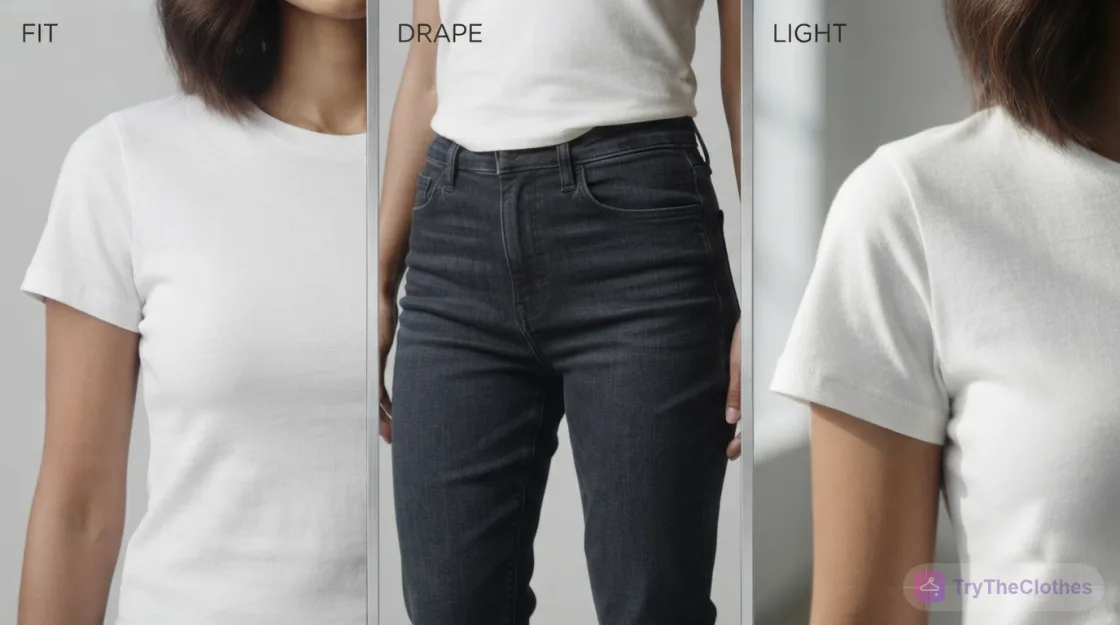
When all three line up, your brain accepts the image as a real photo. When one is off, it looks fake, and that is almost always down to a weak input photo rather than the tool itself.
What it does well, and where it struggles
It is worth being honest about this, because it helps you use the tool for what it is good at.
Virtual try-on is excellent at showing how a garment looks on you: the colour against your skin, the overall shape, the length, and whether a style suits you. That covers most of what people want to know before they buy. That makes it just as useful for tailoring, and our guide to virtual try-on for suits shows how to preview a jacket and trousers together.
It is not a tape measure. It will not tell you your exact size or whether a specific brand runs small. For that, you still check the size chart, and our online size guide helps. It can also struggle with very busy backgrounds, tricky poses, or extremely detailed items like heavy embroidery. The fix for nearly all of these is the same: a clean, front-facing, well-lit photo on a plain background.
Virtual try-on vs AR try-on filters
You may have used an AR "try-on" filter on a shopping app or on social media, where your phone camera lays an item over your live video. Those are fun, but they are a different thing. AR filters track your camera in real time and paste a graphic on top, which works fine for glasses or lipstick but tends to look flat and slippery for clothing.
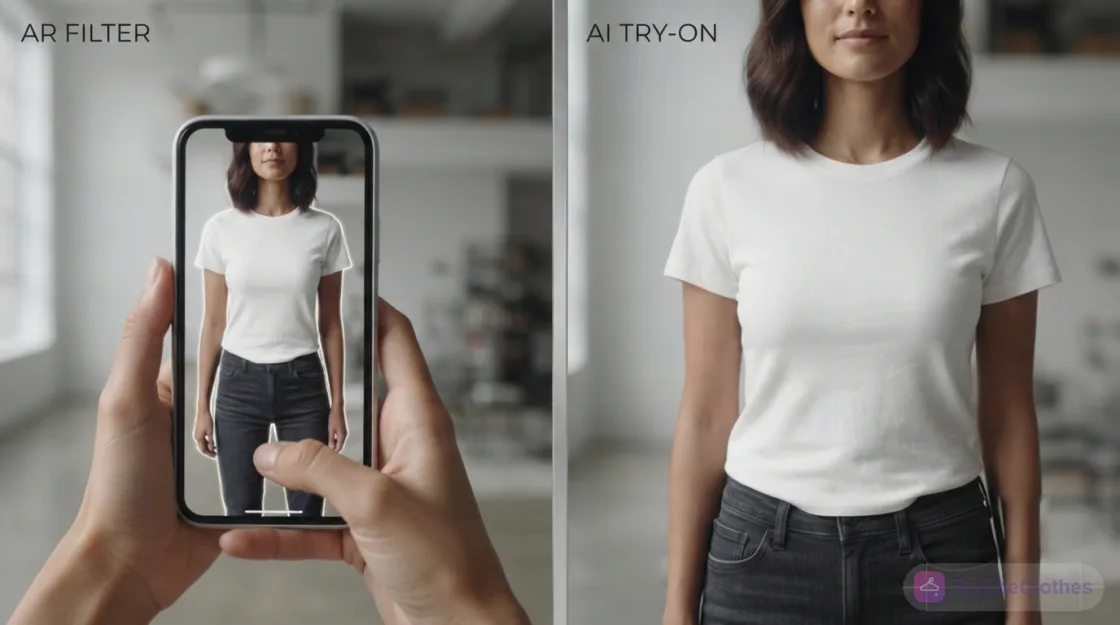
AI virtual try-on is not live. It takes one still photo and generates one finished image. Because it has a few seconds to render properly, the clothing looks like it is on your body instead of stuck to a moving camera. For the real question, whether an outfit suits you before you buy, the still, generated result is far more useful than a live filter.
Who uses virtual try-on
It is not only for shoppers, though shoppers get the most obvious benefit. Three groups tend to use it most:
- Online shoppers preview an outfit on their own body before buying, so they order the right thing the first time instead of buying two sizes to be safe.
- Small sellers and boutiques show their clothes on real bodies without booking a photoshoot, which builds buyer trust and cuts returns.
- Content creators put looks and lookbooks together fast, trying ideas in seconds rather than borrowing samples and shooting them.
The appeal is the same for all of them. It swaps guessing and expensive photoshoots for a quick, believable preview.
Why it matters for shopping
The reason this technology took off is simple. Buying clothes online has always involved a leap of faith. You look at a model who is not you, imagine the item on your own body, and hope. Virtual try-on removes the guessing. You see the item on yourself before you spend anything.
That changes how people shop. You buy with more confidence, you order fewer "just in case" sizes, and you send less back. Fewer returns are better for you, better for the shop, and better for the planet, which we cover in our piece on how virtual try-on helps reduce online shopping returns.
Tips for the best result
Since the result depends so much on your photo, a few small habits make a big difference. None of them take more than a few seconds.
- Use a clear, full-body photo with your whole body in frame.
- Face the camera and keep your arms away from your body, so nothing hides where the clothing goes.
- Stand in soft, even light, ideally facing a window, and keep the background plain.
- Wear something fitted in the base photo so the AI can read your real shape.
That is the short version. Our full guide to the perfect virtual try-on photo walks through each of these with real examples, and it is the single fastest way to improve your results.
Are your photos safe?
It is a fair question to ask of any tool you upload a photo to. With TryTheClothes, your photos are private. They are used only to create your try-on, they are not sold or shared, and you can delete your uploads and results whenever you like. A good tool should never make you trade your privacy for a preview.
How to try it yourself
You do not need an app or an account to start. Here is the whole flow.
- Take a clear, full-body photo of yourself facing the camera in good light.
- Open the virtual try-on and upload it, or start from a ready-made template.
- Add the clothing image you want to try.
- Wait a few seconds for the result, then download it or try another look.
Because one good photo works for dozens of outfits, the first try takes a minute and every one after that is instant.
Frequently asked questions
Is AI virtual try-on accurate?
For showing how an outfit looks on you, its colour, shape and length, it is very accurate and often looks like a real photo. For exact sizing, treat it as a strong visual guide and still check the brand's measurements before you buy.
How long does a try-on take?
Usually a few seconds. The slow part is not the AI, it is uploading a clear photo. Once your photo is in, results come back almost immediately.
Do I need a full-body photo?
For clothing, yes, a full-body photo gives the best results because the AI can see your whole shape. For jewellery, you only need a close photo of your face, neck or wrist instead.
Can I try on more than one outfit?
Yes. Once your photo is uploaded, you can try look after look on the same photo and compare them side by side. One good photo is all you need for dozens of outfits.
Does it work for menswear and womenswear?
Both. The AI reads any body shape and any garment, so it works for men's and women's clothing alike, from dresses and tops to shirts, jackets and trousers.
Is it free?
Yes. You can try it free, with no app to install. New users get free credits to start, so you can preview several outfits before deciding anything.
The bottom line
AI virtual try-on is not magic and it is not a gimmick. It reads your body from a photo, reads the garment from another, and generates a new, realistic picture of the two together. Three simple steps, a few seconds, and no changing room.
The better the photo you give it, the better the result you get back. So take one clear, full-body photo, save it, and use it to preview anything you are thinking of buying. Ready to see it work? Try it on now.
Ready to try it yourself? Upload a photo and see any outfit on you in seconds, and your first try-ons are free. Start a try-on →
One useful style tip a week
What to wear, how to size, and new try-on features. Short, useful, unsubscribe any time.
Some links on this page are affiliate links. We may earn a commission when you buy through them, at no extra cost to you. Learn more.