 By Dhruvisha J
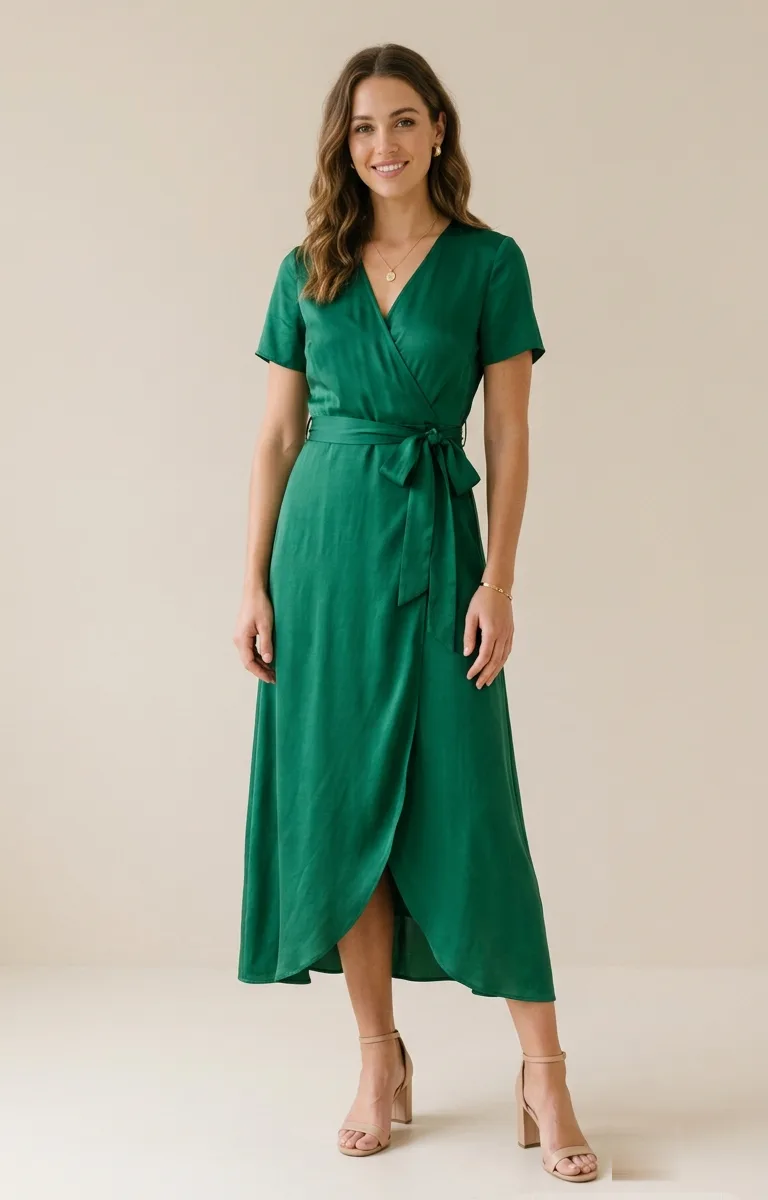
Every wardrobe crisis has the same shape. There is an important event on the calendar, an outfit that looked perfect on a model, and a quiet fear that it will look nothing like that on you. Occasion dressing is the highest-stakes shopping there is, because the outfit has to be right on a fixed date with no time to reorder. Virtual try-on for special occasions takes that fear out of the equation by letting you see the outfit on your own body before you spend a penny.
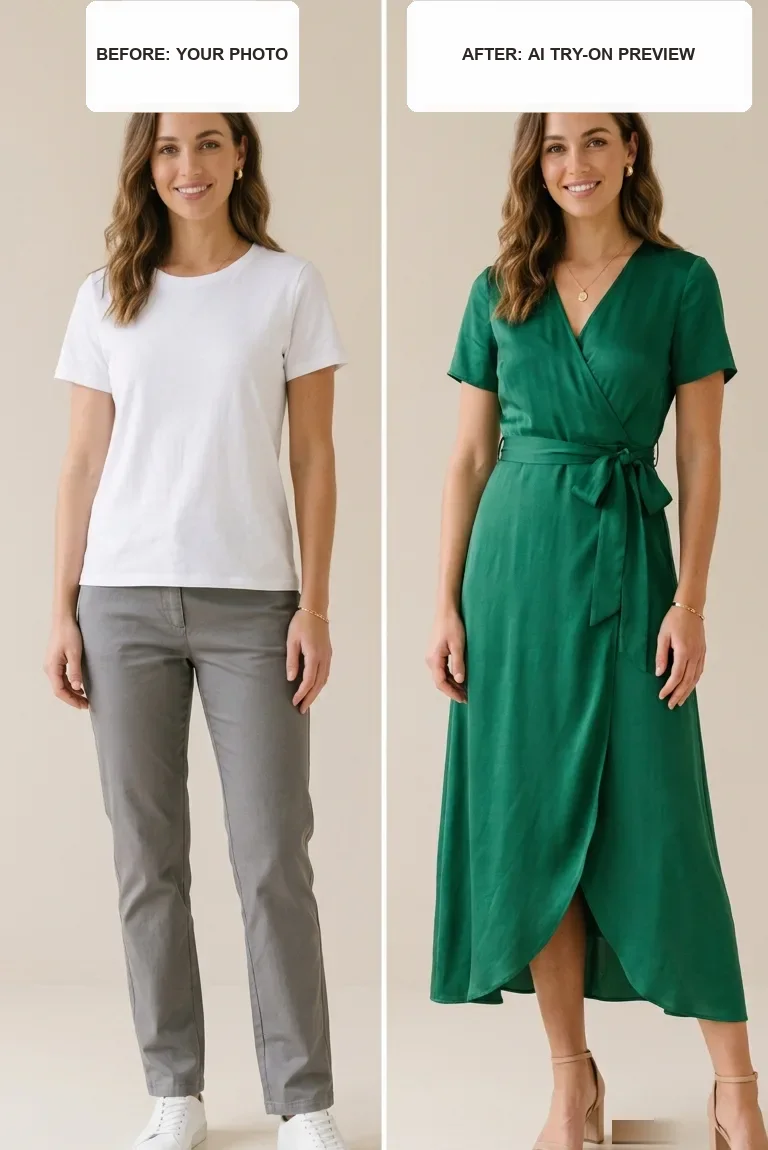
Here is how it works. You upload a photo of yourself and a photo of the outfit, and AI generates a realistic image of you wearing it. Instead of imagining how a wedding guest dress or an interview suit will sit, you simply see it: the colour against your skin, the length, the whole impression. For any event where turning up in the wrong thing is a genuine problem, that preview is the difference between confidence and last-minute panic. This guide walks you through using it for every kind of occasion, with a step-by-step plan and a real worked example.
Why occasion outfits carry the most pressure
Occasion wear stacks up every risk of online shopping and then adds a deadline on top. The garments are often unusual for you: a formal gown, a tailored suit, festive wear you do not buy from one year to the next. You have less instinct for how they will hang on your frame. The stakes are social too, because photos last and dress codes matter. And the timeline is unforgiving, so if the parcel arrives wrong two days before the event, there is no gentle second chance.
That combination is exactly why occasion returns spike around wedding season and the winter holidays. Seeing the outfit on yourself first removes the biggest unknown while there is still room to change course. Our companion guide on how virtual try-on reduces returns explains why previewing before you buy cuts the send-back cycle so sharply.
What virtual try-on for special occasions does
At its heart, virtual try-on for special occasions is a visual preview of an outfit on your own body, generated by AI from two photos. It shows colour, silhouette, length and overall mood with real accuracy, which is everything you need to judge whether a look suits you and fits the event. It is not a tailor, so it will not promise an exact fit down to the centimetre. Pair it with the retailer's size chart for the numbers and let the preview handle the look.
What it does brilliantly is let you make the call early and calmly. You can compare two dresses for a wedding, or a suit against a blazer-and-trousers combination for an interview, all on your own frame, in the time it would take to try one thing in a physical shop. For the mechanics behind the preview, see our explainer on how AI virtual try-on works.
How to plan an occasion outfit in 5 steps
Treat the outfit as a small project with a deadline, and the whole thing gets calmer. Here is the order that works.
- Pin down the brief. Note the dress code, the venue, the season and the time of day. A garden wedding at noon and a black-tie dinner ask for very different things, and knowing the brief before you shop saves you from falling for the wrong outfit.
- Take one good photo of yourself. Stand front-facing and full-body in soft, even light against a plain wall. This single photo will carry every try-on you run, so it is worth getting right once.
- Shortlist two or three outfits. Gather clean product images of the candidates, ideally flat-lay or front-on shots on a plain background. Resist buying anything yet.
- Preview each one on yourself. Upload your photo and each outfit image in turn, generate, and study the results side by side. Colour, length and silhouette tell you fast which looks belong to you and which do not.
- Order the winner in good time. Choose the size the retailer's chart supports, place the order early, and keep one backup style in mind in case the fabric surprises you in person.
Because occasion outfits are usually a single hero piece, a dress, a suit or a jumpsuit, they preview cleanly. Get your two images right and a free tool to try on clothes online gives you a look reliable enough to book for the big day.
Which event, which priority
Every occasion has a slightly different priority. A small tweak to your approach helps for each, so use the table as a quick reference before you preview.
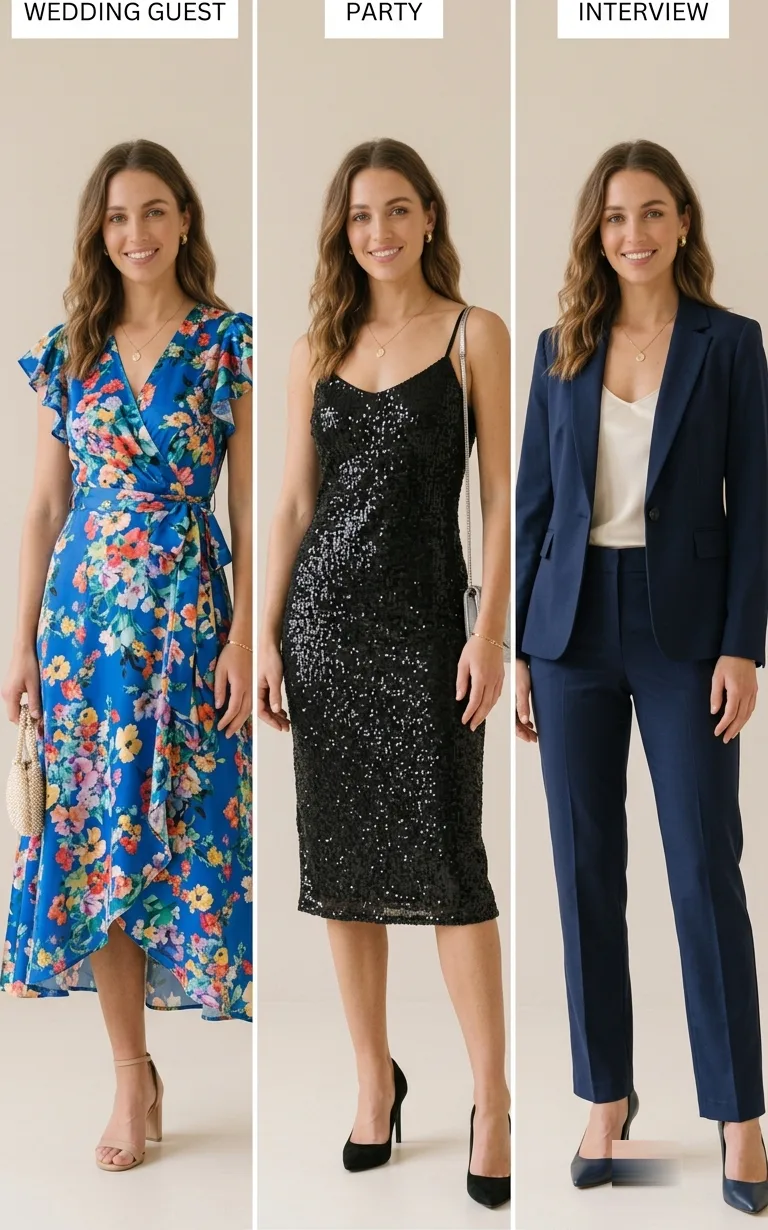
| Occasion | What to check first | Photo tip |
|---|---|---|
| Wedding guest | True colour against the dress code, plus hemline | Use a head-to-toe photo so the length reads honestly |
| Party or evening out | Silhouette and shine, the impact of the look | Stand square to the camera to judge the shape |
| Job interview | A polished, appropriate suit or tailored combination | Neutral background so the colour reads as sharp |
| Festive or family gathering | Comfort and warmth alongside the festive feel | Preview in the layers you would actually wear |
Weddings and formal events
Guest dressing lives and dies on colour and length against the dress code, so use a head-to-toe photo to judge the hemline and preview the true shade before you commit. Once the try-on confirms the look, you can settle the finer points of season and setting with confidence.
Parties and evenings out
Party looks are built on impact, so preview the silhouette and shine on your own frame first. Pieces like a slip dress or a sharp blazer dress read very well in a try-on, which makes it easy to tell a fun choice from a fussy one.
Interviews and formal work events
Here the goal is polished and appropriate rather than attention-grabbing. Preview a suit or a tailored combination to check the fit and colour come across as sharp, and you walk in feeling correct rather than second-guessing.
A real example, start to finish
To make this concrete, follow Priya as she dresses for a friend's autumn wedding, three weeks out, with a smart-casual daytime dress code.
- She writes the brief. Autumn afternoon, garden ceremony then an indoor dinner, no white and no black. She wants something warm in tone that photographs well and lets her move.
- She takes one photo. A friend snaps her full-body against the plain hallway wall in daylight, front-facing, no heavy shadows. That photo becomes the base for every try-on.
- She shortlists three dresses. A rust midi, a deep-green wrap dress and a floral tea dress, each saved as a clean front-on product image.
- She previews all three. The rust midi reads a little flat against her colouring, the floral tea dress looks busy in the preview, and the green wrap dress sits beautifully at the knee and warms up her whole look.
- She adds the accessories. Using our jewellery try-on, she previews gold drop earrings and a fine necklace on the same photo, and our guide to virtual jewellery try-on for weddings helps her keep them subtle enough for a guest.
- She orders with time to spare. The green wrap dress goes in the basket in the size the chart supports, ordered two and a half weeks ahead, with the rust midi noted as a backup just in case.
When the dress arrives, there are no surprises, because Priya had already seen the look on herself. The only job left is a quick real-world check of the fabric and fit against the size chart she trusted.
Planning ahead so nothing arrives too late
The quiet superpower of previewing occasion wear is time. Because you can rule outfits in or out before ordering, you skip the doom loop of buying several, waiting for delivery, and discovering the problem with days to spare.
- Shortlist two or three candidates and preview each on yourself before buying any.
- Order only the winner, in the size the retailer's chart supports, well before the event.
- Keep one backup style in mind in case the fabric or fit surprises you in person.
- Preview accessories too, so the whole look is settled rather than half-decided.
To finish the look, our jewellery try-on lets you preview a necklace or earrings on yourself the same way, so the outfit and accessories are decided together rather than left to chance on the morning of the event.
Mistakes that ruin an occasion try-on
- Leaving it too late. Preview early so there is time to reorder if the fabric disappoints in person.
- Cropped photos. Occasion pieces need your full body in frame to judge length and drape.
- Guessing the colour from a dim image. Use a well-lit product shot so the true shade reads.
- Skipping the size chart. The try-on shows the look, and the chart settles the fit.
- Trying only one option. Comparing a couple of looks almost always beats settling for the first.
Before you generate, check that your whole body is visible and the outfit is clear from the front. Our guide to the perfect photo for virtual try-on covers the source image in detail.
Preview your occasion outfit now
With an event on the horizon, the best time to preview is now, while there is still room to change your mind. Take a clear, front-facing, full-body photo in soft light against a plain wall, then find a clean product image of the outfit you are considering. Upload both and see yourself in it in seconds. Compare a second option and shortlist the one that looks best on you.
Our free virtual try-on needs no app to install. You sign up for a free account, get free credits to start, and only pay if you want more try-ons. Decide the look early, order the winner in good time, and turn up to the occasion knowing exactly how you appear. If you want the wider concept first, our overview of the virtual fitting room sets the scene.
Frequently asked questions
Can I use virtual try-on for special occasions like a wedding or party?
Yes, and it is one of the best uses for it. Occasion outfits are usually a single hero piece, which previews cleanly. Upload your photo and the outfit image to see the colour, length and silhouette on yourself before you commit to a fixed date.
Will it tell me if the outfit fits?
It shows the look, meaning colour, length and silhouette, with real accuracy, but not the exact tape-measure fit. Use the try-on to choose the outfit and the retailer's size chart to choose the size, and order early enough to swap if the fabric surprises you in person.
Can I preview accessories for the occasion too?
Yes. Alongside the outfit, our jewellery try-on lets you preview a necklace, earrings or a bracelet on yourself, so you can settle the whole look before the event rather than piecing it together at the last minute.
The bottom line
Occasion dressing is the most nerve-wracking shopping there is, because the outfit has to be right on a specific day with no room for error. Virtual try-on for special occasions removes the worst of that risk by showing you the outfit on your own body before you buy, while there is still time to choose differently. The guesswork that used to sit between "it looked lovely online" and "does it look lovely on me?" simply disappears.
Preview early, compare a couple of options, order the winner in the size the chart supports, and settle the accessories the same way. Do that and the next wedding, party or interview stops being a wardrobe crisis and becomes a decision you made calmly, days in advance, which is exactly how occasion dressing should feel.
Ready to try it yourself? Upload a photo and see any outfit on you in seconds, and your first try-ons are free. Start a try-on →
One useful style tip a week
What to wear, how to size, and new try-on features. Short, useful, unsubscribe any time.