 By Dhruvisha J
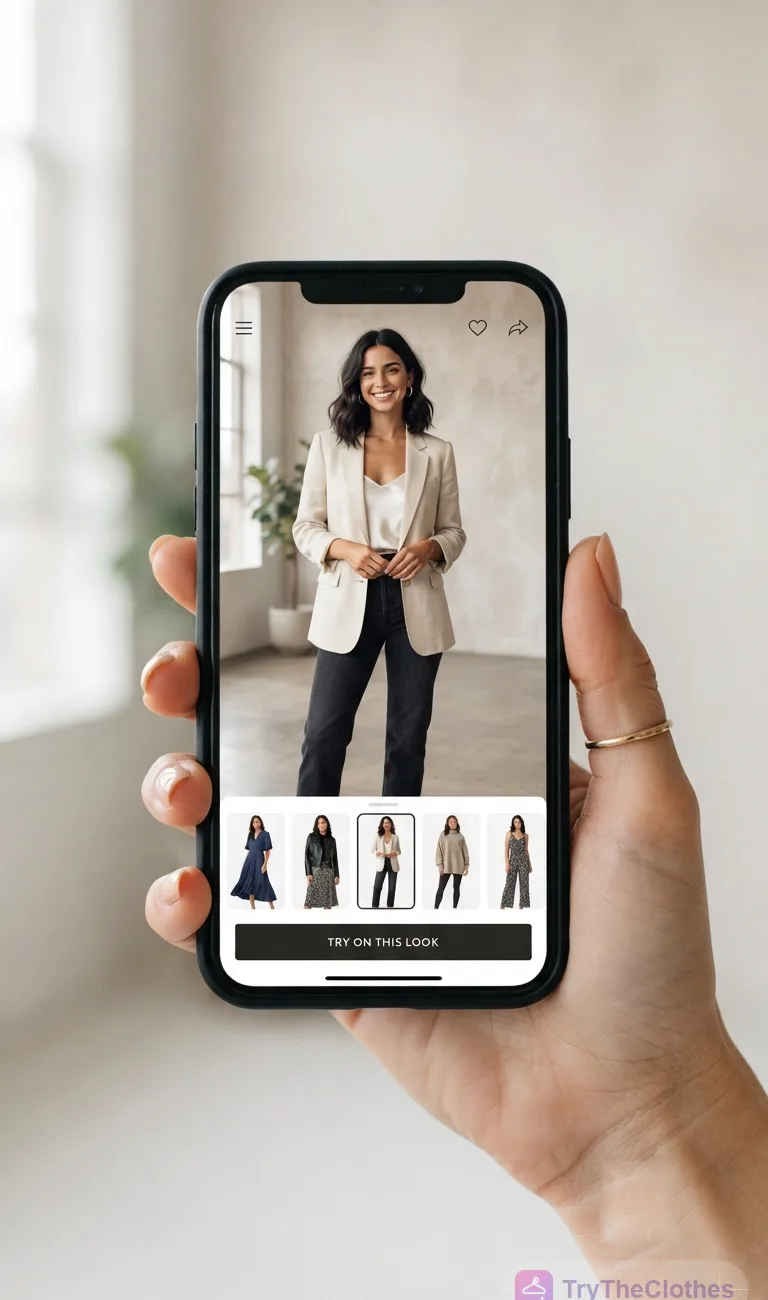
Shopping for clothes online has one stubborn problem: you cannot actually see how the item will look on you. That is exactly the gap virtual try-on apps are built to close, using AI, augmented reality and 3D modelling to preview a garment on your body, your photo or a digital avatar before you ever tap "buy". This guide walks you through the main categories and helps you pick the best virtual try-on apps for the way you actually shop.
Instead of ranking brand names, you will learn the underlying types of technology, because the right tool depends far more on the method than on any logo.
What are virtual try-on apps?
A virtual try-on app is any software that shows you, or a stand-in for you, wearing a product you have not physically put on. What started with novelty camera filters is now a serious shopping aid used by major retailers and tiny boutiques alike, spanning mobile apps, website widgets, in-store mirrors and standalone web pages. They all share one promise: shrink the guesswork between a flat product photo and imagining it on your own body. That promise applies to every shopper, and our guide to virtual try-on for men shows how the same tools handle menswear.
The core technologies behind the scenes
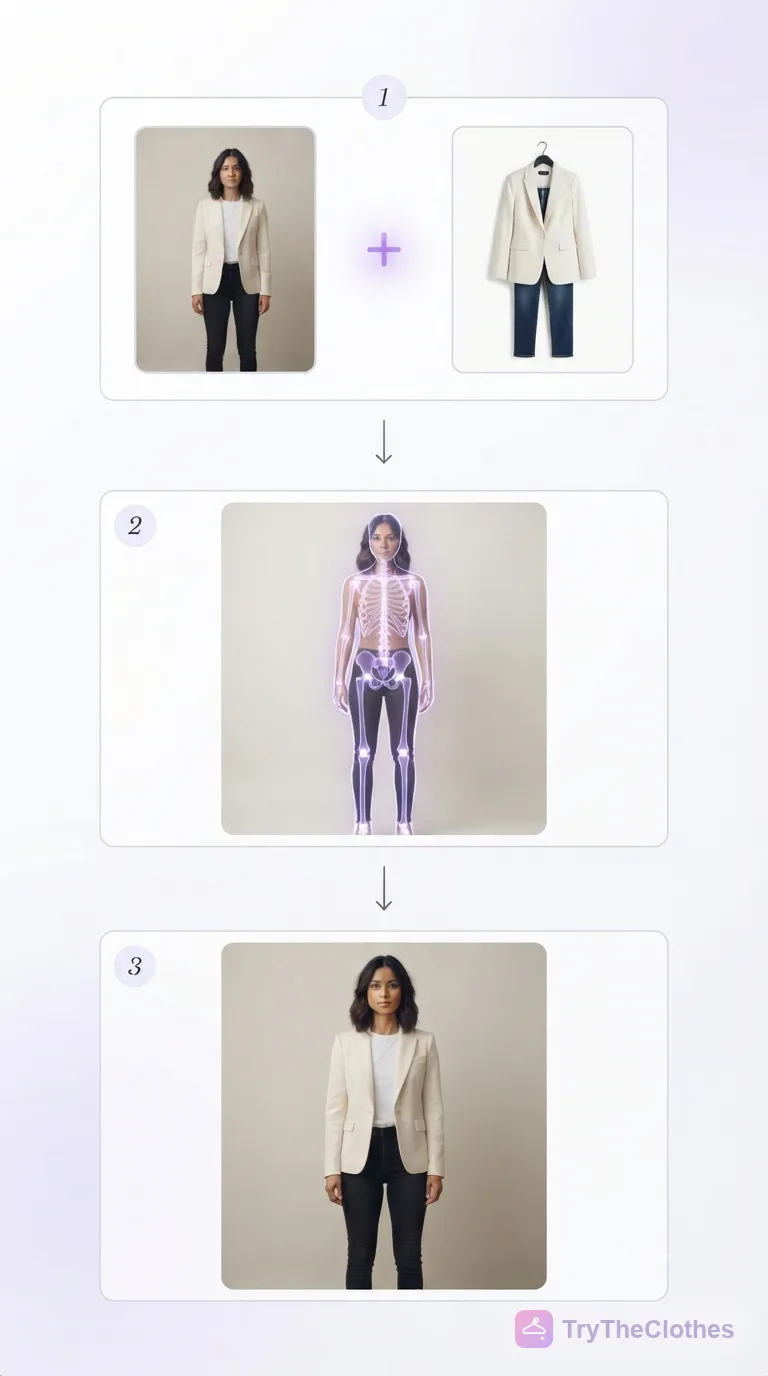
Most modern try-on tools lean on one or more of these building blocks, which helps you read marketing claims with a clear head:
- Computer vision detects your body, pose and landmarks such as shoulders, waist and hips.
- Generative AI works out how fabric drapes and catches light on a specific body.
- Augmented reality (AR) overlays a digital garment onto a live camera feed.
- 3D modelling builds a measurable avatar you can rotate and dress.
Our companion article on how AI virtual try-on works breaks the pipeline down step by step. What matters here is that the technology under the hood decides the strengths and weaknesses you feel as a user.
Why virtual try-on apps matter for online shopping
Fashion carries one of the highest return rates in all of e-commerce, and the leading reason shoppers send items back is simple: fit and appearance did not match expectations. Try-on apps attack that directly by setting expectations before the parcel ships, so you buy with more confidence and return less often. Trying garments virtually is also fun, which keeps you browsing.
Benefits you actually feel
- Confidence: seeing a garment on your body cuts the anxiety of buying blind.
- Speed: you compare five looks in the time one physical try-on takes.
- Discovery: you try styles and colours you would normally skip.
- Fewer returns: better expectations mean fewer disappointing deliveries.
That last point matters to your wallet and the planet, since every avoided return saves packaging and shipping emissions. We dig into it in our piece on how to reduce online shopping returns.
The main types of virtual try-on tools
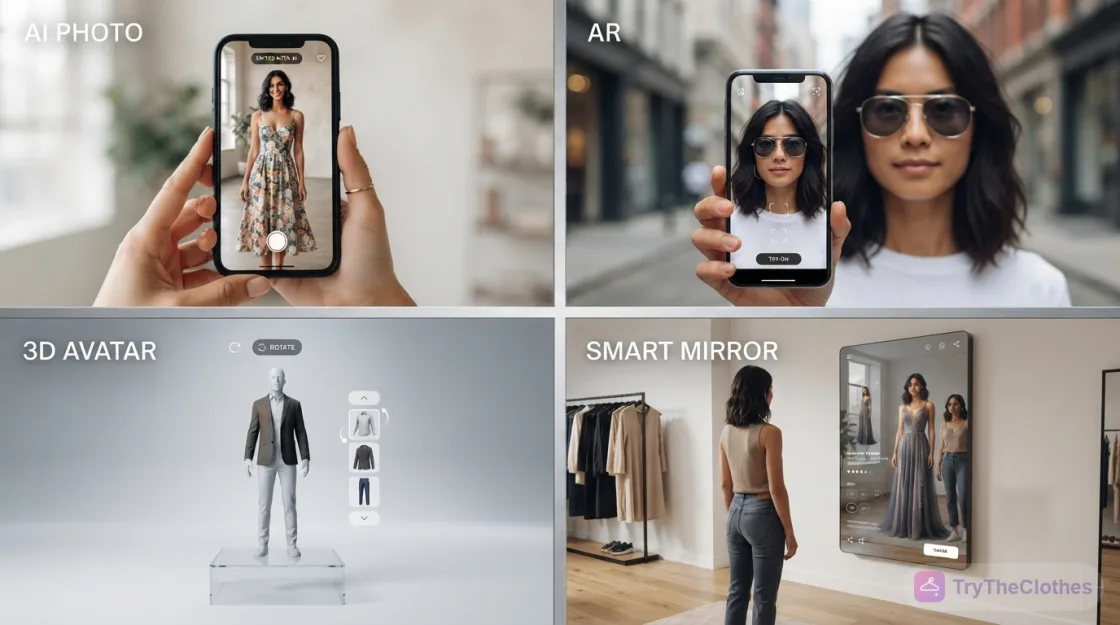
Not all try-on tools work the same way. Four families dominate the market today, and each answers a different question about how you want to see the clothes.
1. AI photo-based try-on
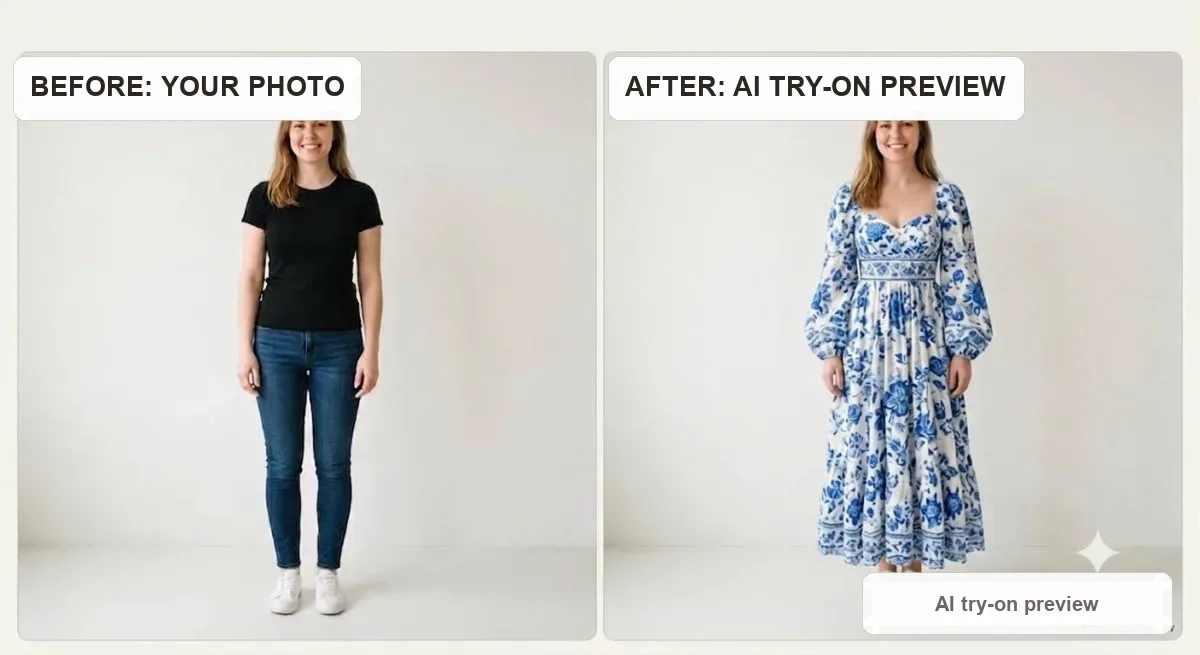
You upload a photo of yourself and a photo of a garment, and a generative model produces a realistic image of you wearing it. It is fast, runs on any device with a browser, and needs no special hardware. Our own AI virtual try-on platform belongs to this family.
2. Retailer AR try-on
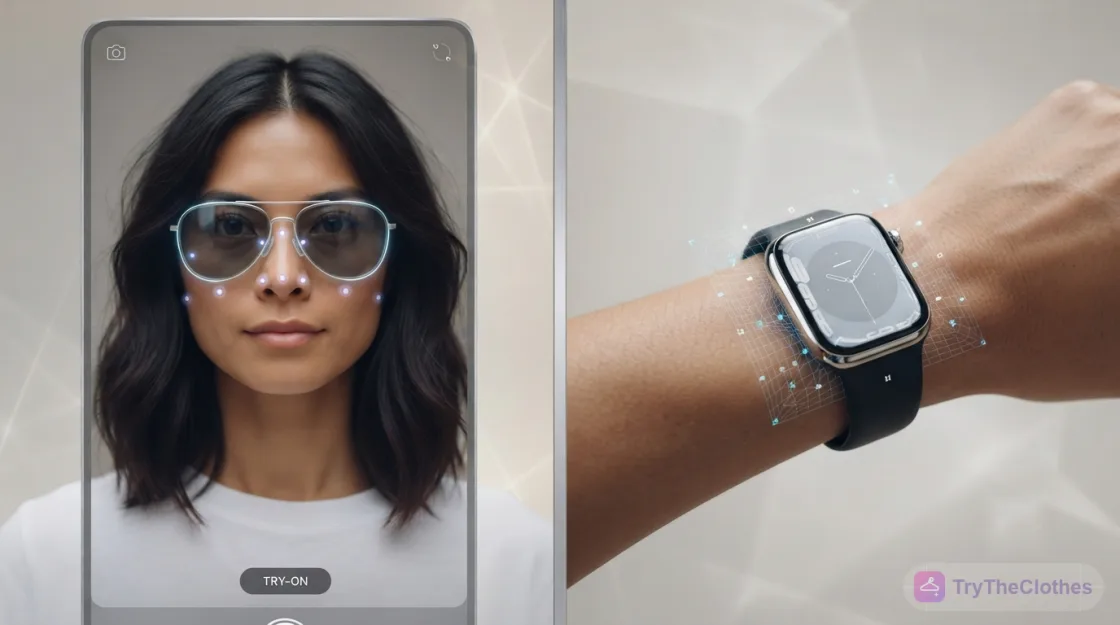
Built into one store's app or website, AR try-on overlays a product on your live camera feed. It shines for accessories such as glasses, watches, makeup and shoes, where the item sits in a predictable spot. Clothing is harder for pure AR, because fabric moves and drapes in ways that are tough to render in real time.
3. 3D avatar and virtual fitting rooms
Here you create a digital body model from measurements or a body scan, then dress it. Avatars let you rotate a look a full 360 degrees and often flag whether a size will run tight or loose, though the trade-off is setup effort. This category overlaps with the idea of the virtual dressing room, which has a long history in fashion tech.
4. In-store smart mirrors
Physical mirrors with embedded screens let shoppers in a store see alternative colours, sizes or styles without changing clothes over and over. They only help when you are physically present, so they complement rather than replace at-home try-on apps.
Comparison: which type suits which shopper
The table below sums up what each family does best. Use it as a quick reference when you decide which experience matches your needs.
| Type of tool | Best for | Hardware needed | Realism for clothing | Setup effort |
|---|---|---|---|---|
| AI photo-based try-on | Full outfits, quick previews, any store | Just a photo and a browser | High | Very low |
| Retailer AR try-on | Glasses, makeup, watches, shoes | Phone camera, specific app | Medium for apparel | Low |
| 3D avatar / fitting room | Size and fit accuracy, 360 views | Measurements or body scan | Medium to high | Higher |
| In-store smart mirror | Comparing colours and sizes in person | In-store screen | High (real garment) | None for shopper |
No single row wins every category. The best virtual try-on apps for you depend on whether you care most about speed, fit accuracy, hardware simplicity or in-person convenience.
AI photo-based try-on apps explained
Of the four families, AI photo-based try-on has grown fastest. It removes almost every barrier to entry: no store-specific app, no body scanner, no lengthy avatar setup. You bring a clear photo, choose a garment, and the model does the rest in seconds. Rather than pasting a flat garment on top of you, a good model reshapes it to follow your pose and blends lighting so the result reads like a real photograph.
Why photo-based try-on sits so well
- Universality: it works with garments from almost any store, not one catalogue.
- Zero hardware: if you can take a selfie, you can use it.
- Shareability: the result is an image you can save and send to friends for a second opinion.
- Creative freedom: you experiment with looks you would never physically try.
Photo-based tools are excellent at showing appearance and slightly weaker at guaranteeing fit, so pair them with the size charts a store already provides. If you want ready-made looks to play with, browse our templates to see what you can try instantly.
What to look for in the best virtual try-on apps
With so many try-on apps fighting for attention, a short checklist keeps you focused. Weigh any tool against these points before you trust it with a purchase.
- Realism and pose handling: look for natural draping, correct shadows and clothing that follows your posture.
- Inclusivity: the best virtual try-on apps work across the full range of body shapes, sizes and skin tones.
- Privacy and data handling: prefer tools clear about storage, deletion and whether images train a model. Vagueness is a warning sign.
- Speed and ease of use: a believable result should arrive in seconds with no real learning curve.
- Usable output: high-resolution images with clean edges, consistent lighting and easy sharing.
How to choose a try-on app in 5 steps
You do not need to test twenty tools to land on a good one. Work through this short sequence.
- Name your main goal. Decide whether you care most about full-outfit looks, accessory previews or strict size confidence. That single answer points you to a family.
- Match the family to the goal. Full outfits lean toward AI photo-based try-on; glasses and makeup lean toward retailer AR; precise fit leans toward a 3D avatar fitting room.
- Run one real test. Upload a clear photo and a garment you might actually buy, then judge the result on draping, edges and lighting, not a polished demo.
- Check the privacy policy. Confirm how your photo is stored, whether it is deleted, and whether it trains a model. Skip any tool that stays vague.
- Compare speed and cost. Favour a tool that returns a believable image in seconds at a price that suits you, since you will use the winner often.
A real example, start to finish
To make this concrete, picture a common scenario. You have found a linen shirt online and you like the colour, but you are unsure it suits you. Here is how a photo-based try-on plays out.
- You take a source photo. Near a window in even daylight, you snap an upright, front-facing shot in fitted clothing so your outline reads clearly.
- You save the product image. From the store page you grab the shirt's front-facing shot on a plain background, not a busy lifestyle photo.
- You upload both. You open the try-on tool, add both images, and start the render.
- You review the result. Seconds later you see yourself in the shirt. The collar sits naturally, the shadows fall the right way, and the colour flatters your skin tone.
- You test a variation. Curious, you preview the same shirt in a second colour to compare side by side.
- You cross-check the size. Convinced, you open the store's size chart, match your measurements, and pick your size with confidence.
- You buy and share. You place the order, then send the preview to a friend for a quick second opinion before it ships.
The whole run takes a couple of minutes, and you go from unsure to confident without a single return.
How to get the best results from any try-on app
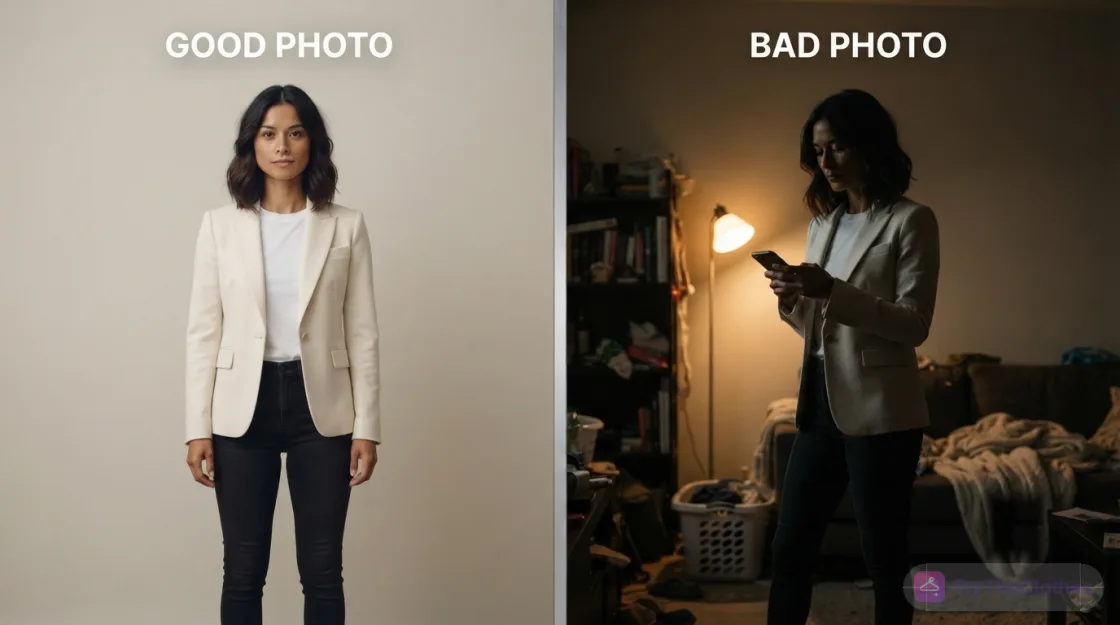
Even the smartest try-on apps depend heavily on what you feed them: better input, better output. Use even, natural lighting, stand against a plain background, and face the camera in a relaxed, upright pose. Wear fitted clothing so the model can read your outline clearly, and avoid heavy shadows and extreme angles. Our walkthrough on taking the perfect photo for virtual try-on covers every adjustment worth making, and when a tool lets you supply the clothing image, a clean front-facing product shot gives the clearest reference.
- Try two or three photos to see which looks most natural.
- Preview the same outfit in different colours before you commit.
- Cross-check the size against the store's chart, since try-on shows look, not exact fit.
Honest limitations of virtual try-on tools
Try-on apps are previews, not physical fittings. A screen cannot convey how a fabric feels, how heavy a coat is, or how a knit stretches through the day. Most photo-based and AR tools also stop short of guaranteeing precise measurements, so always combine the preview with the retailer's size guidance.
- Highly reflective or sheer fabrics can confuse rendering.
- Very loose or structured pieces are harder to simulate than simple silhouettes.
- Unusual poses or partial photos reduce accuracy.
- Patterns and logos may not align perfectly.
None of these caveats undermine the technology. Used with awareness, try-on tools beat shopping blind.
What virtual try-on apps mean for stores
Virtual try-on is not only a shopper's convenience; it is a commercial tool. Offering a believable preview lifts confidence at the moment a customer hesitates, which turns into higher conversion and fewer returns. Independent creators benefit even more, because photo-based try-on apps show a garment on many body types without booking models or studios.
- Lower content costs: generate on-model imagery from flat product photos.
- Broader representation: show products across diverse bodies affordably.
- Higher engagement: previews keep shoppers on the page longer.
- Reduced returns: accurate expectations mean fewer costly send-backs.
For a store, the decision is less about whether to adopt virtual try-on and more about which family fits the catalogue: an eyewear brand leans toward AR, while a wide apparel range gains most from AI photo-based try-on.
Frequently asked questions
Are virtual try-on apps accurate?
They are highly accurate for showing how a garment looks on your body, and improving fast. For exact fit, pair the visual preview with the retailer's size chart, since appearance and precise measurements are different things.
Do virtual try-on tools work on any body type?
The best virtual try-on apps are designed to handle the full range of body shapes, sizes and skin tones. Quality varies between providers, so if a tool only looks convincing on one body type, treat that as a sign of a weaker model, not a limit of the technology.
Is my photo safe when I use a try-on app?
It depends entirely on the provider, which is why a transparent privacy policy matters. Look for a clear statement on how images are stored, whether they are deleted, and if they are used for training. Reputable apps make this easy to find.
Which type of virtual try-on app should I choose?
For quick, realistic previews of full outfits from any store, choose AI photo-based try-on. For glasses, makeup or watches, retailer AR works well. For strict size confidence, a 3D avatar fitting room earns its extra setup.
The bottom line
Virtual try-on apps have moved from novelty to necessity, and the smartest way to navigate them is by understanding the four families rather than chasing brand names. AI photo-based try-on wins on speed and effortless setup; AR excels at accessories; 3D avatars lead on fit confidence; and in-store mirrors bridge the physical and digital worlds. For the lowest-friction path to a realistic preview of a full outfit, bring a clean, well-lit photo, cross-check sizing with the store's chart, and you can shop online with far more confidence and far fewer disappointing returns.
Ready to try it yourself? Upload a photo and see any outfit on you in seconds, and your first try-ons are free. Start a try-on →
One useful style tip a week
What to wear, how to size, and new try-on features. Short, useful, unsubscribe any time.
Some links on this page are affiliate links. We may earn a commission when you buy through them, at no extra cost to you. Learn more.