 By Dhruvisha J
An AI outfit generator is a tool that uses artificial intelligence to put clothes together into a look and, in the best versions, show that look on you. Instead of staring at a product photo on a stranger and wondering how it would land on your body, you upload a photo of yourself, add a garment, and get back a realistic picture of you wearing it. That is the difference between reading about an outfit and actually seeing it. If you have ever bought something online that looked great on the model and wrong on you, this is the category of tool built to fix that.
This guide is for anyone shopping in the US, UK, Canada, or Australia who keeps typing "AI outfit generator" into a search bar and is not sure what these tools actually do. We will cover what the term means, how the technology works in plain language, what you can realistically use it for, and where it still falls short. Along the way we will show you how TryTheClothes works as a free AI outfit generator you can open in your browser right now, no download required.
What is an AI outfit generator
The phrase gets used two different ways, and it helps to separate them, because they solve different problems.
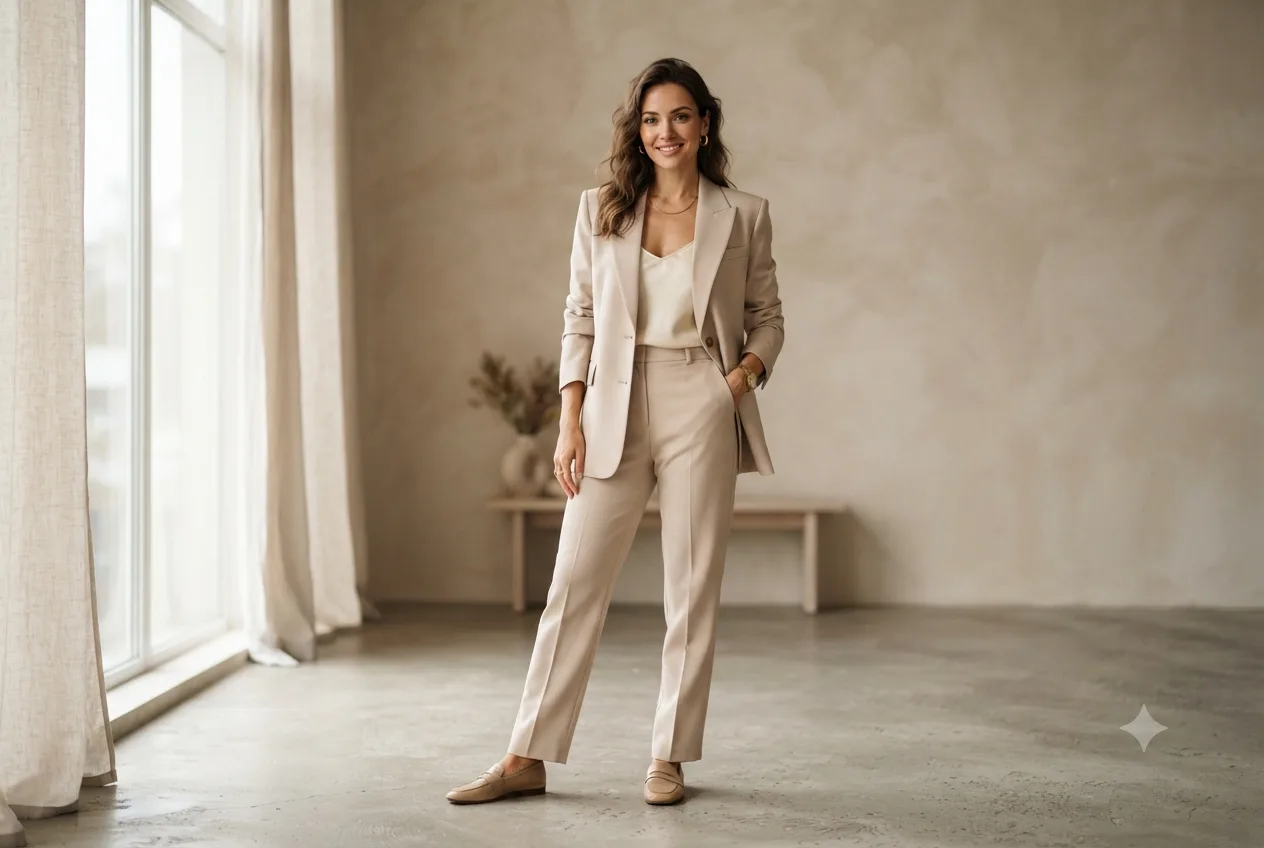
The first meaning is an outfit idea generator. You tell it an occasion or a vibe, and it suggests combinations: a blazer with straight pants and loafers for the office, a slip dress with a denim jacket for a casual dinner. This is useful when you are stuck for inspiration, and we cover that side of styling in our piece on AI outfit ideas. The catch is that a text suggestion still leaves you guessing. You read the words, you nod, and you still have no idea whether that blazer flatters your shoulders or washes out your skin tone.
The second meaning is the one most people actually want: a tool that generates a realistic image of a specific outfit on you. You give it your photo and a garment, and it renders you wearing that garment. This is the more useful version, because getting dressed is a visual decision, not a verbal one. TryTheClothes does the second kind. It is less about telling you what to wear and more about letting you see yourself in it before you commit, which is the part that normally costs a trip to the fitting room.
How an AI outfit generator works
You do not need to understand the math to use the tool, but a quick look at the steps helps you get better results and sets honest expectations. Here is what happens when you create a look.
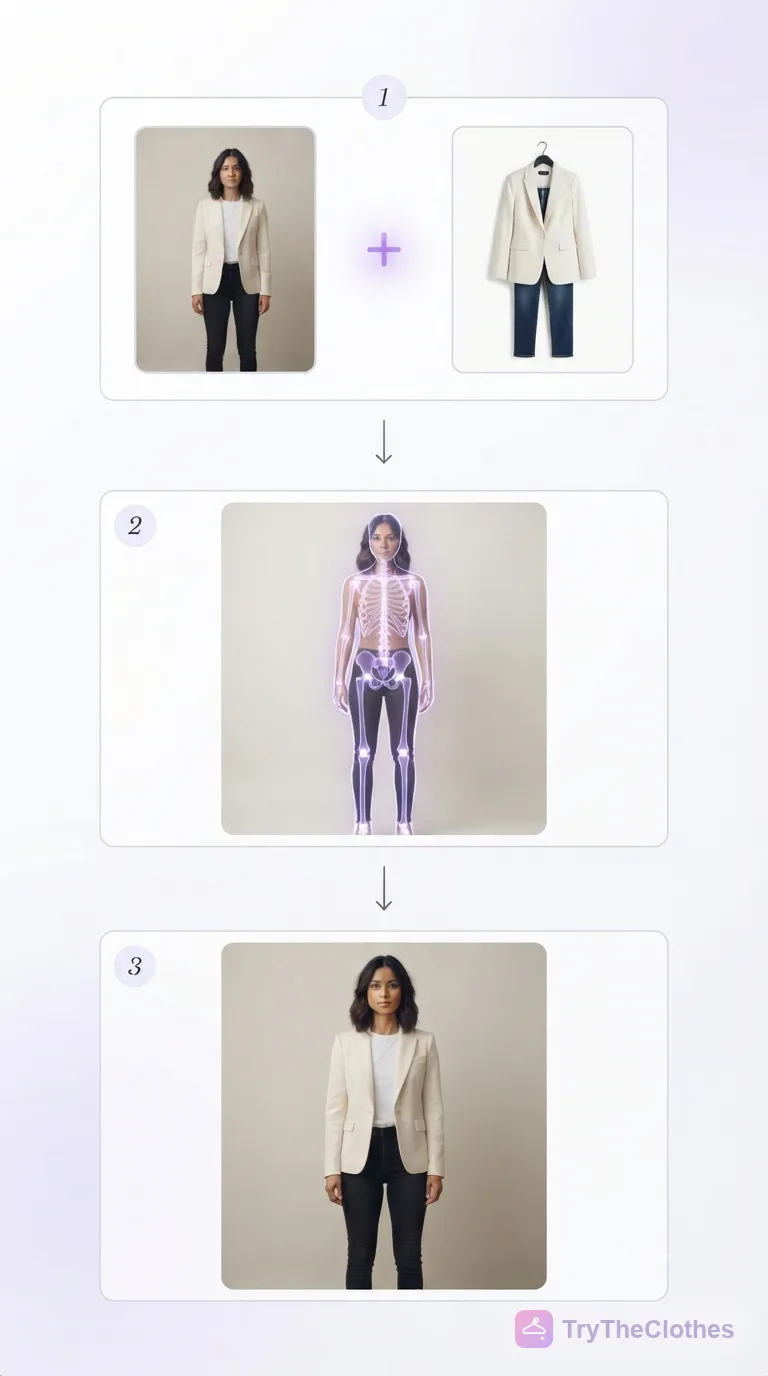
- You upload your photo. A single clear, front-facing picture is enough. The AI reads your outline, finds your shoulders, waist, and hips, works out your pose, and separates you from the background.
- You add or pick a garment. Upload a product photo from a store, or choose an item from a catalog. The tool studies the cut, color, pattern, and how that fabric is likely to hang, so a stiff denim jacket and a floaty blouse behave differently.
- The AI maps your body and renders the outfit on you. A generative model paints a brand new image of you in that garment, inventing natural folds, shadows, and highlights so the clothing sits on your frame instead of looking pasted on.
- You get your result in about 30 seconds. You look at the picture, decide if it works, and either keep it or swap the garment and generate another. There is no queue and no changing room.
The quality of step one drives everything after it. Clean information in means a convincing picture out, which is why the tips later in this guide focus so much on your photo.
What you can do with it
An AI outfit generator is not a novelty. Once you have one open, it quietly solves several everyday problems. Here are the ones people reach for most.
- See a store item on yourself before buying. Found a jacket you like but cannot tell if the length suits you? Drop the product photo in, see it on your body, and decide with your eyes instead of your imagination.
- Experiment with new styles risk-free. Always wondered whether wide-leg pants or a bold color would work on you? Try them in seconds without spending a cent, so a style you were too nervous to buy becomes a quick experiment.
- Try looks for a specific occasion. Build and compare a few options for a wedding, an interview, or a night out, then walk in already sure of how you look.
- Dress for your body type. Because the look renders on your actual frame, you can test what flatters your proportions rather than trusting a chart. Pair this with our guide on how to dress for your body type to learn what to look for.
- Create on-model product shots if you sell clothes. Small sellers and brands can generate clean, consistent images of garments on a model without booking a photographer, studio, and sample for every item.
How to use TryTheClothes as your AI outfit generator
Here is the concrete walkthrough. The whole thing runs in your browser, and the first look takes a couple of minutes.
Open the homepage and upload one clear, full-body photo of yourself. Then add the garment you want to try: upload a product image from any store, or pick something from the built-in catalog. Hit generate, wait about 30 seconds, and the tool renders you wearing that piece. From there you can swap in a different top, change the pants, or try a jacket over the top, generating a fresh image each time so you can compare looks side by side.
When you want to go beyond single garments and think in complete looks, our guide to outfit formulas you can mix and match pairs well with the generator: build a formula in your head, then see it on yourself to confirm it holds up. If you would rather browse other options first, we compare the field in our roundup of the best virtual try-on apps. When you are ready, the free try-on is one click away.
AI outfit generator vs guessing from a model photo
The standard way to shop online is to look at a garment on a model and guess. The problem is that the model is almost never shaped like you, standing like you, or lit like your bathroom mirror. A top that skims a six-foot model can bunch on a shorter frame, and a color that pops against her skin can go flat against yours.
Seeing a look on your own body closes that gap on the things that actually make you return a purchase. You get a real read on fit, so you can tell whether the length and cut suit your proportions. You get an honest look at color against your own skin tone instead of the model's. You can judge proportion, how the piece balances the rest of your frame. And because you are deciding with your eyes rather than hoping, you tend to buy fewer wrong things, which means fewer returns and less money wasted on shipping clothes back. That shift, from a shared digital space you preview a look in to one tied to your own body, is the same idea behind a virtual fitting room.
Tips for the best results
The tool is only as good as what you feed it. Three small habits make a big difference.
Use a clear, full-body photo. Stand facing the camera with your arms slightly away from your body so your outline is easy to read. A shot that shows you head to toe gives the AI the most to work with.
Shoot in good, even light. Natural daylight against a plain wall beats a dim room or a busy background every time. Even lighting helps the tool judge color and shape accurately, which is exactly what you want it to get right.
Pick one clear garment image. Choose a product photo where the item is shown flat or on a plain background, without a model layering other pieces over it. A clean garment image lets the AI understand the cut and render it faithfully.
Honest limits
We would rather set expectations than oversell. An AI outfit generator gives you a realistic preview, not a perfect mirror. The image is generated, so fabric drape and the exact way a garment creases on your specific body can vary from the final reality, and very fine details like a subtle texture or a precise hemline may shift slightly between generations. It will not replace trying on a tailored suit or a structured gown when millimeters matter. What it does well is tell you fast whether a color, a silhouette, and a general fit are worth your money, which is enough to make most online shopping decisions far less of a gamble. Treat it as a confident preview, not a guarantee, and it will serve you well.
Try it now
The best way to understand an AI outfit generator is to run one look through it. Grab a clear photo of yourself, find a garment you have been eyeing, and create your first look. It is free, it runs in your browser, and the result lands in about 30 seconds. Open the free AI outfit generator and see a piece on your own body before you decide.
Frequently asked questions
Is there a free AI outfit generator?
Yes. TryTheClothes is a free AI outfit generator you can open in your browser with no download. Upload your photo, add a garment, and see the look on yourself at no cost, which makes it easy to experiment before you spend anything on clothes.
Can it put a specific outfit on my photo?
Yes, and that is the whole point of the image-based kind. You upload a photo of a specific garment, a product image from a store works well, and the AI renders that exact piece on your body rather than suggesting a vague idea. You can layer pieces one at a time to build a full outfit.
Do I need any special equipment or an app?
No. A single clear photo of yourself and a picture of the garment are enough, and the tool runs in an ordinary web browser. You do not need a 3D scanner, a studio, or an app install. Good light and a plain background improve the result.
How long does it take to generate a look?
Usually about 30 seconds per look. Because there is no queue and no changing in and out of clothes, you can generate several versions back to back and compare them side by side until you find the one you like.
Will the rendered outfit look exactly like real life?
It is a realistic preview, not a flawless mirror. Color, silhouette, and general fit come through clearly, which is enough for most buying decisions, but fabric drape and the exact crease of a garment on your body can vary. Use it to shop with confidence, not as a perfect guarantee.
The bottom line
An AI outfit generator takes the guesswork out of getting dressed. The genuinely useful version does more than suggest combinations in text: it shows a real outfit on your own body so you can judge fit, color, and proportion with your eyes. That one shift turns online shopping from a gamble into a decision you can actually see, and it tends to leave you with fewer returns and fewer unworn clothes in the closet.
If that sounds worth two minutes, start with a single look. Upload a clear photo, add a garment you are curious about, and let the free try-on show you the result. Create one outfit, trust what you see, and the next time something catches your eye online you will already know whether it belongs on you.
Ready to try it yourself? Upload a photo and see any outfit on you in seconds, and your first try-ons are free. Start a try-on →
One useful style tip a week
What to wear, how to size, and new try-on features. Short, useful, unsubscribe any time.