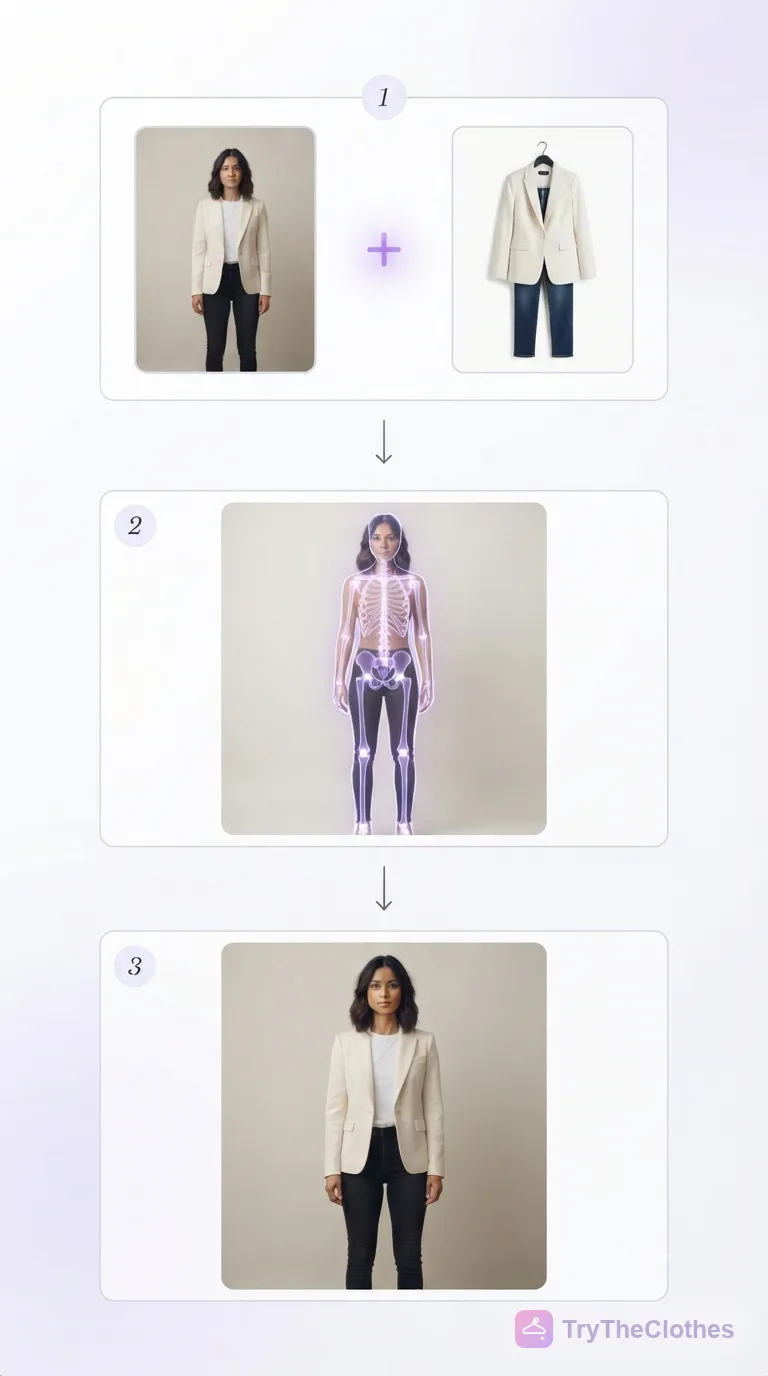
 By Dhruvisha J

Buying jewellery online has always asked you to imagine. You spot a necklace on a model, you picture it on your own neckline, you order it, and then you hope for the best. Being able to try on jewellery online takes that guessing away, because instead of imagining the result you simply see it. You upload a photo of a piece and a photo of yourself, and the tool creates a realistic image of you actually wearing that necklace, those earrings or that bracelet. Done well, it looks like a real photograph rather than a sticker pasted onto your body.
This guide explains what trying on jewellery online really means, walks through the simple steps, and gives practical tips for a realistic result with each type of piece. The whole thing takes about a minute once your two photos are ready, and it runs in a web browser with no app to install. If you would rather jump straight in, our free jewellery try-on is ready whenever you are.
What it means to try on jewellery online
To try on jewellery online means using software to preview a piece on your own body before you buy it, without physically putting anything on. Older tools simply pasted a flat image of a necklace over your photo, rough edges and all, and nobody trusted the result. Modern tools work differently. They use AI to create a brand-new image of you wearing the jewellery, with natural highlights, shadows and placement that match your own photo.
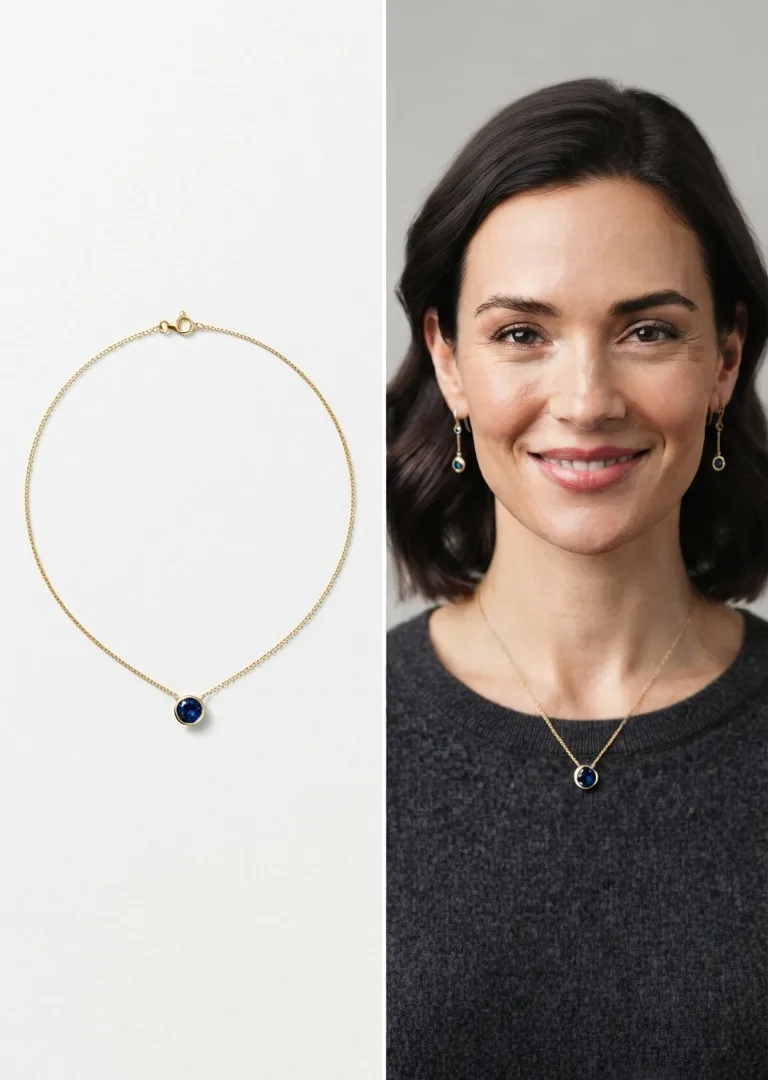
Think of it as a jewellery counter that lives inside your browser. You give it two things, a photo of the piece and a photo of yourself, and it produces a single believable picture that combines them. Because it generates the image rather than copying pixels, the necklace really appears to sit on your collarbone and the earrings to hang from your ears the way real jewellery would. It is a visual preview, not a jeweller, so use it to judge how a piece looks on you and confirm the exact size and length with the seller.
Why it matters for online jewellery shopping
The reason to try on jewellery online is certainty. Jewellery is personal. The same necklace length can flatter one neckline and overwhelm another, and gold, silver and rose tones each read differently against your skin. A single product photo on a studio model tells you almost none of that about you. Seeing the piece on your own body replaces a guess with a picture, which is why fewer pieces get returned and why buying feels calmer. If you also shop for clothes, the same idea powers our outfit try-on.
How to try on jewellery online in 5 steps
You do not need a 3D scanner, an app or any special hardware. A normal phone photo and a web browser are enough. Here is the whole process from start to finish.
- Pick the jewellery type. Choose necklace, earrings, both together, or a bracelet, so the tool knows exactly where the piece belongs.
- Add the jewellery photo. Use a clean image of the piece, ideally on a plain background, showing it clearly.
- Add your photo. Upload a clear, front-facing picture of yourself with your face and neck visible.
- Generate. Let the AI process the two images. This usually takes only a few seconds.
- Review and try again. Look at the result, and if something is off, swap in a cleaner photo and generate again.
That is genuinely all there is to it. The skill is not in the clicking, it is in the choosing. The two images you feed the tool decide almost everything about the final quality, which is why the tips below matter. Our step-by-step virtual jewellery try-on handles the rest in your browser.
Tips for necklaces, earrings and bracelets
Each type of jewellery rewards a slightly different photo of yourself, because the tool needs to see the part of your body where the piece will sit.
Necklaces
For a necklace, make sure your neckline and collarbone are clearly visible and your shoulders are square to the camera. This lets the AI place a chain or pendant at the right length against your neck, exactly like the before-and-after example above. For a deeper walkthrough, see our guide to the virtual necklace try-on.
Earrings
Earrings depend on your ears and the sides of your face being visible, so tuck your hair back and face the camera straight on. That way studs, hoops and drops land naturally beside your jaw.

Bracelets
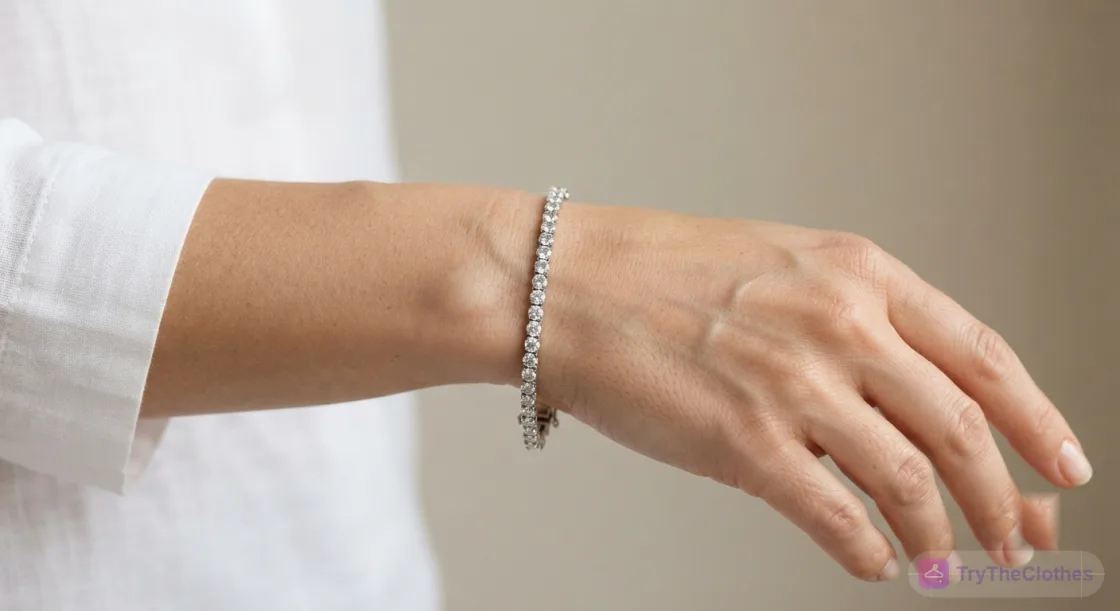
For a bracelet, the tool needs a clear view of your wrist, so include your hand and forearm in the frame. A relaxed, front-on wrist gives the cleanest result.
The two photos that decide your result
Everything comes down to the two images you provide. Get them right and the preview looks like a real photo of you. Get them wrong and even the smartest tool will struggle.
- The jewellery photo: use a clear, well-lit image of a single piece on a plain background. Sharp product shots reproduce the true metal colour and stones, while blurry or cluttered images carry that confusion onto you.
- Your photo: face the camera in soft, even light with the relevant area (neck, ears or wrist) clearly visible. A plain wall behind you helps the tool outline you cleanly.
Because a jewellery try-on is often a close-up of your face and neck, close and well-lit photos are ideal here, rather than the full-body shots a clothing try-on needs. When you open the jewellery try-on, a small guidelines panel shows good and bad examples so you can match them quickly.
What works well and what is harder
| Factor | Works well (realistic result) | Harder (less reliable) |
|---|---|---|
| Jewellery type | Necklaces, earrings, bracelets, sets | Very intricate, tiny or clustered pieces |
| Jewellery photo | Single piece on a plain background | Blurry, cluttered or worn in a busy scene |
| Your photo | Front-facing, face and neck visible | Angled, dim, or cropped away from the area |
| Lighting | Soft and even, true colours | Harsh glare or a strong colour cast |
The pattern is simple: clear inputs give realistic results. The tool is excellent at showing how a piece looks, its metal, its stones and its placement, and it lets you compare several pieces in the time a shop would take to try on one. Where it still has limits is the exact fit and length, and very small or ornate pieces. Use it for a fast, believable preview, then confirm the measurements with the seller.
A real example, start to finish
Let us walk through a normal purchase. Say you have found a sapphire pendant necklace online and you are not sure it will suit you.
- Save the product photo. You grab the clean image of the necklace on its plain white background straight from the shop.
- Take your photo. You stand near a window in soft daylight, face the camera, and keep your neckline clear.
- Pick the type and upload. You choose necklace, add both photos, and generate.
- Review the result. The pendant appears on your collarbone. You can see the length is a touch long, so you compare it against a shorter chain and pick the one that sits best.
- Buy with confidence. You order the necklace you actually saw on yourself, instead of hoping the model photo translates.
The same five steps work for earrings and bracelets. Only the photo of yourself changes, so the ears or the wrist are in view instead of the neck.
Mistakes that ruin a jewellery try-on
- Hiding the target area. Hair over the ears for earrings, or a high collar for a necklace, leaves the tool nowhere to place the piece.
- A cluttered jewellery photo. Several pieces or a busy background in the product image transfer that clutter onto your result.
- Backlighting. A bright window behind you turns your face into a silhouette and hides the jewellery.
- Skipping the type. Not choosing necklace, earrings or bracelet can place the piece in the wrong spot.
- Never trying again. Accepting the first result when a cleaner photo would look far more natural.
None of these are hard to fix once you know to watch for them. Glance at your two images and ask yourself one question: is the piece clear, and is the part of me it goes on clearly visible? If the answer is yes to both, you are most of the way to a realistic try-on.
Try it yourself
Reading only gets you so far, so the fastest way to understand it is to try on jewellery online yourself. Take a clear, front-facing photo in soft light with your face and neck visible, then find a clean product image of a piece you have been eyeing. Upload both, pick the type, and watch the result appear in seconds. Change one thing and generate again to see how much the inputs shape the outcome.
Our free jewellery try-on needs no app to install. You sign up for a free account, get free credits to start, and only pay if you want more try-ons. For heavier occasion pieces, our guide to jewellery try-on for weddings and festive looks shows how to preview bridal and festive jewellery before the big day.
Frequently asked questions
Is it free to try on jewellery online?
Yes. Our tool lets you try on jewellery online for free, directly in a web browser. You upload a photo of the piece and a photo of yourself, with no app to download and no special hardware. Previewing a necklace, earrings or a bracelet on yourself is available at no cost.
How accurate is an AI jewellery try-on?
For showing how a piece looks on you, its metal, its stones and its placement, a modern jewellery try-on is highly accurate and often looks like a real photograph. For the exact length or size, treat it as a strong visual guide and confirm the measurements with the seller before you buy.
What photo works best when I try on jewellery online?
A clear, front-facing photo in soft, even light with the relevant area visible, so your neck for a necklace, your ears for earrings, or your wrist for a bracelet. Because a jewellery try-on is usually a close-up, a sharp face-and-neck photo works better here than the full-body shot a clothing try-on needs.
Do I need to create an account or download anything?
No. The try-on runs in your web browser, so there is nothing to install. You simply upload your two photos and generate the result, which makes it easy to compare a few pieces quickly before you decide.
The bottom line
Trying on jewellery online has crossed from gimmick to genuinely useful. Modern AI does not paste a flat piece onto your photo. It paints a fresh, believable image of you wearing the necklace, earrings or bracelet, with natural light and placement. That leap in realism is why shoppers now reach for a try-on before they buy, and why the results are trustworthy enough to actually shop by.
Everything else comes down to the inputs. A clear, well-lit photo of a single piece on a plain background, paired with a front-facing photo of yourself with the right area visible, gives a realistic result almost every time. Keep the tips in mind, pick the right type, and treat the first output as a draft you can improve. Do that, and you will see how jewellery truly looks on you long before your order ever ships. Ready when you are: try on jewellery free.
Ready to try it yourself? Upload a photo and see any outfit on you in seconds, and your first try-ons are free. Start a try-on →
One useful style tip a week
What to wear, how to size, and new try-on features. Short, useful, unsubscribe any time.